


Pocketmux: Remote tmux access
By ShiftinBits


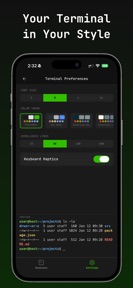


Pocketmux is a remote terminal client for iOS that provides direct, encrypted access to tmux sessions via P2P WebRTC tunnels.
The App DNA
What makes this app unique?
Developers require a way to monitor long-running builds and manage servers from mobile devices without the security risks of open ports or VPNs.
For Software developers and system administrators who need to monitor long-running processes or manage remote servers from mobile devices.
What does it look like?
Key features
Direct encrypted tunnel between mobile device and host machine without VPN or open ports.
Touch-optimized input bar providing Ctrl, Alt, Tab, and arrow keys for terminal navigation.
Native mobile interface for browsing tmux sessions, windows, and panes instead of raw terminal text.
How much does it cost?
The subscription model supports ongoing development and hosted signaling infrastructure for a niche technical audience.
Velocity
Maintenance developmentUX improvementsperformanceShow more...
Pocketmux currently operates on a maintenance cadence, with only one release shipped in the last 19 days. The latest update focused exclusively on resolving an app icon regression, indicating a lack of new feature development or live operations. Development appears limited to minor stability and aesthetic maintenance rather than active product expansion.
Who built it?
User Sentiment
What do users think recently?
How are ratings & reviews evolving?
Not enough recent reviews to extract reliable themes yet.
Read the full review analysisCompetition
Competitive landscape for Pocketmux: Remote tmux access
How's the Utilities market?
Pocketmux operates in the Utilities category as a specialized terminal tool. The current 5-star rating on a single review reflects early adoption by a niche technical audience.
Read the market outlookThe rivals identified
Unlock the deeper market read.
Access the full report for freeThe Analyst's Read
Key takeaways for Pocketmux: Remote tmux access
Where is it heading?
The market for mobile terminal access is consolidating around tools that offer more than simple SSH connectivity. Pocketmux is advantaged by its tmux-specific focus, but the lack of iPad support limits its reach into the professional coding segment, which is the primary growth vector for remote management tools.
- The zero-knowledge architecture creates a high switching cost for privacy-focused developers, which protects the user base from generic SSH client competition.
- The current maintenance-only release cadence suggests a stable, feature-complete core, though it leaves the app vulnerable to faster-moving rivals in the terminal space.
The SWOT
- Zero-knowledge architecture via P2P WebRTC tunnels removes the security dependency on third-party signaling servers.
- Touch-optimized keyboard accessory bar reduces input friction for complex terminal escape sequences.
- Native tmux hierarchy UI replaces raw text streams with navigable windows and panes.
- Expansion into iPad-native layouts could capture the growing market of mobile-first coding environments.
- Integration with AI coding assistant prompts could streamline remote debugging workflows.
Next best moves
Ship iPad-native interface because it is the most requested missing form factor → increase session duration for power users
+ 1 more prioritized moveThe counter-intuitive read
Users report: The subscription model is a feature, not a barrier…
Read the full takeBottom line
Pocketmux provides a specialized, secure workflow for tmux users that general-purpose SSH clients lack. Prioritizing iPad support would unlock the tablet-based development segment, which is currently underserved by the mobile-only interface.
Unlock 2 critical frictions, 2 market threats, 1 more prioritized move and the analyst’s take.
Access the full report for freeFAQ
Is Pocketmux safe to use for managing sensitive servers?
How does Pocketmux compare to a standard SSH client?
Is there a free version of Pocketmux?
Sources
- [1] App Store listing
Report last updated