





Printer AI is a utility app for iPhone and iPad that enables document, photo, and web content printing across 9,000+ printer models.
The App DNA
What makes this app unique?
Users hire this app to bypass manufacturer-specific driver installations for ad-hoc printing tasks, so the value hinges on reliable hardware connectivity.
For iPhone and iPad users requiring a mobile-first printing solution for documents, photos, and web content.
What does it look like?
Key features
Hands-free document printing triggered via voice input; retention lever for recurring tasks.
Scheduled notifications for printing tasks; reinforces the open-app habit.
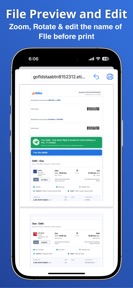
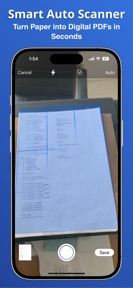
Direct printing of photos, emails, and web content; drives ad-impression inventory.
How much does it cost?
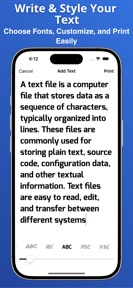
Freemium model gates advanced text editor features behind a premium tier to drive conversion.
Velocity
Maintenance developmentUX improvementsperformanceShow more...
Printer AI: Print documents has been in a maintenance phase for the last 179 days, with no updates released since February 10, 2026. The latest version introduced Siri voice commands and print reminders, but the lack of subsequent activity suggests a period of inactivity. Development momentum is currently stagnant, as the app has not received any feature updates or performance patches in over half a year.
Who built it?
Santosh Bairagi
2 apps tracked · Utilities
 Music Player: Mp3 Player & Mp4
User Sentiment
What do users think recently?
How are ratings & reviews evolving?
Not enough recent reviews to extract reliable themes yet.
Read the full review analysisCompetition
Competitive landscape for Printer AI: Print documents
How's the Utilities market?
Printer AI operates in the Utilities category with a 3.4-star rating across 10 reviews. The low review volume suggests limited market penetration, placing it behind established manufacturer-native printing solutions.
Read the market outlookThe rivals identified
Unlock the deeper market read.
Access the full report for freeThe Analyst's Read
Key takeaways for Printer AI: Print documents
Where is it heading?
The mobile printing market is consolidating around manufacturer-native apps that offer deeper hardware integration. Printer AI remains stable but exposed, so the PM must shift from maintenance to active feature expansion to avoid obsolescence.
- The latest version introduced Siri voice commands, but the 179-day update gap suggests the app is currently in maintenance mode.
- Low review volume (10 total) limits the feedback loop, preventing the team from identifying and addressing specific user pain points.
The SWOT
- 9,000+ printer model compatibility functions as a broad-reach utility barrier
- Integration with cloud storage providers could increase utility for document-heavy workflows
Next best moves
Ship cloud-storage integration because current reliance on local files limits document-heavy workflows → increase session duration
+ 1 more prioritized moveThe counter-intuitive read
The app's broad printer compatibility is a liability, not a strength…
Read the full takeSince the last report: The analysis shifted from a maintenance-only outlook to a proactive strategy prioritizing cloud-storage integration and addressing competitive threats from manufacturer-native apps.
Bottom line
Printer AI provides high-utility hardware compatibility, but the lack of recent feature iteration creates a churn risk, so the PM should prioritize cloud-storage integration to secure long-term user retention.
Unlock 1 critical friction, 1 market threat, 1 more prioritized move and the analyst’s take.
Access the full report for freeSources
- [1] App Store, source
Report last updated