


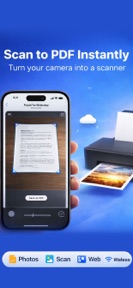
Printer: Wireless Printing is a mobile utility for document, photo, and web printing on iOS.
The App DNA
What makes this app unique?
Users hire the app to bridge the gap between mobile cloud storage and physical printing, prioritizing quick access over complex management.
For Students and home office users requiring a mobile-first solution for document management and wireless printing.
What does it look like?
Key features
Direct printing of PDF, Word, and gallery files.
Face ID/Touch ID authentication for document protection.
How much does it cost?
Freemium model uses a feature-gate strategy to restrict unlimited printing and advanced tools to the paid tier.
Velocity
Maintenance developmentopaqueShow more...
The app has shipped only one release since its launch 118 days ago, placing it firmly in the maintenance tier. There is no evidence of active development, new features, or ongoing live operations. Given the lack of subsequent updates, the development trend is currently stagnant. The publisher has provided no release notes for the initial version, leaving the app's functional roadmap opaque.
Who built it?
TECHPEDE (PRIVATE)
4 apps tracked · Productivity
 Police Siren: Lights & Sound
 Real Xray Scanner
 Reelina: ai ad video studio
User Sentiment
What do users think recently?
How are ratings & reviews evolving?
Not enough recent reviews to extract reliable themes yet.
Read the full review analysisCompetition
Competitive landscape for Printer: wireless printing
How's the Productivity market?
Printer: Wireless Printing occupies a niche utility role in the Productivity category, but its 119-day update silence limits its competitive standing versus active incumbents.
Read the market outlookThe rivals identified
Unlock the deeper market read.
Access the full report for freeThe Analyst's Read
Key takeaways for Printer: wireless printing
Where is it heading?
The mobile printing market is consolidating around apps with high-frequency update cadences that support new cloud-storage APIs. Printer: Wireless Printing remains in maintenance-mode, so the PM must initiate a feature-parity sprint to prevent total user attrition to active rivals.
- The 119-day update silence indicates a lack of active feature investment, which accelerates churn risk as users migrate to more frequently updated alternatives.
The SWOT
- Security lock (Face ID/Touch ID) provides a privacy-focused differentiator for sensitive document management.
- Education partnerships offer a B2B distribution channel for student-focused document management tools.
Next best moves
Ship a minor feature update because the 119-day silence risks churn → restore user confidence.
The counter-intuitive read
The app's lack of updates may signal a…
Read the full takeSince the last report: The competitive outlook shifted to mixed, and the SWOT analysis now includes education partnerships as a growth opportunity.
Bottom line
Printer: Wireless Printing offers a functional utility for basic document tasks, but the four-month development silence risks irrelevance, so the team must prioritize a feature-parity update to retain the user base against active rivals.
Unlock 1 critical friction, 1 market threat and the analyst’s take.
Access the full report for freeSources
- [1] App Store, source
Report last updated