



Remote App - Mouse, Keyboard
By Adarsh Urs

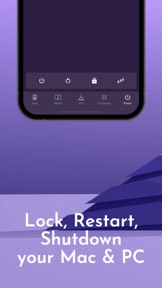


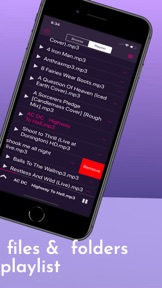

Remote App - Mouse, Keyboard is a utility that turns an iPhone into a wireless trackpad and keyboard for PC and Mac systems.
The App DNA
What makes this app unique?
Users open the app to control media playback or desktop navigation from a distance, replacing the need for physical peripherals during couch browsing or presentations.
For Users who consume media on computers and want to control playback or navigation from a distance.
What does it look like?
Key features
Simulates mouse movement and clicks on PC or Mac via Wi-Fi.
Controls playback for VLC, Spotify, iTunes, Netflix, and YouTube.
Transmits text input from iPhone to computer for remote typing.
How much does it cost?
Essential mouse-clicking features are gated behind subscription prompts, which users report as a primary frustration.
Velocity
Dormant developmentopaqueShow more...
Remote App - Mouse, Keyboard has been inactive for over nine months, falling well outside the threshold for active development. The last release, which contained only generic dependency updates, occurred 283 days ago. Given the lack of updates or feature expansion in the provided history, the app is currently in a zombie state.
Who built it?
Adarsh Urs
4 apps tracked · Utilities
 Remote for VLC, PC & Mac
 VLC Mobile Remote - PC & Mac
 Remote App (PRO) - PC & Mac
User Sentiment
What do users think recently?
Review voice lately leans frustrated. Users appreciate responsive remote mouse control provides a functional and sleek interface for desktop navigation.
How are ratings & reviews evolving?
What users say, by theme
- Responsive remote mouse control provides a functional and sleek interface for desktop navigation
- Aggressive paywalling of basic input features forces a subscription model on core functionality
2 of 2 recent reviews analyzed · limited sample
Read the full review analysisUnlock 1 more frustration theme and 1 user request, each backed by review evidence.
Access the full report for freeCompetition
Competitive landscape for Remote App - Mouse, Keyboard
How's the Utilities market?
Remote App - Mouse, Keyboard maintains a low-visibility position in the Utilities category with only 19 total ratings across all platforms. The 283-day gap since the last store update signals a maintenance-only posture that prevents meaningful competitive scaling.
Read the market outlookThe rivals identified
Unlock the deeper market read.
Access the full report for freeThe Analyst's Read
Key takeaways for Remote App - Mouse, Keyboard
Where is it heading?
The utility market is consolidating around apps that offer seamless, zero-config connectivity. Remote App - Mouse, Keyboard remains exposed due to its stagnant development cycle and reliance on aggressive monetization of basic features, which will likely accelerate user churn into the next quarter.
- The 283-day update gap indicates a lack of active feature investment, which erodes user trust and allows competitors to capture the utility market.
- Aggressive paywalling of core mouse-clicking features drives negative sentiment, which compounds the churn pressure already visible in the low rating count.
The SWOT
- Responsive trackpad interface provides sleek desktop navigation
- Zero-configuration connection protocol would remove setup friction
Next best moves
Un-gate basic mouse-clicking features because user complaints flag this as the top churn driver → improve rating baseline
+ 1 more prioritized moveThe counter-intuitive read
The app's reliance on a companion server is…
Read the full takeSince the last report: The pricing model transitioned from a free-tier structure to a formal freemium model, while the outlook trend declined as the 283-day development gap continues to erode competitive standing.
Bottom line
Un-gating basic input functionality would address the primary frustration driving negative sentiment. If the current paywall remains, the app will continue to lose users to more accessible, frequently updated utility rivals.
Unlock 2 critical frictions, 1 market threat, 1 more prioritized move and the analyst’s take.
Access the full report for freeFAQ
Is Remote App - Mouse, Keyboard free to use?
Does Remote App - Mouse, Keyboard work without internet?
What are the alternatives to Remote App - Mouse, Keyboard?
Sources
- [1] App Store
- [2] Developer website, source
Report last updated