


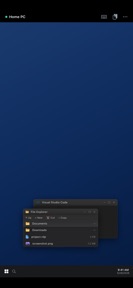


Remote Desktop: RDP & VNC is a productivity utility for iOS that provides secure remote access to desktop machines using RDP and VNC protocols.
The App DNA
What makes this app unique?
The app removes the friction of account registration and cloud-based middleman services, serving users who require direct, privacy-conscious control over their remote infrastructure.
For IT professionals, system administrators, and power users who require secure, low-latency remote access to Windows, Mac, and Linux machines.
What does it look like?
Key features
Uses Apple Intelligence to troubleshoot network issues locally, reinforcing privacy-first brand positioning.
Allows instant connection to remote machines without account registration, lowering the barrier to entry for new users.
Provides high-performance graphical output for remote sessions, ensuring low-latency interaction.
How much does it cost?
The app operates as a free, privacy-focused utility with no observable monetization gates or subscription tiers.
Velocity
Maintenance developmentopaqueShow more...
With only one release shipped in the last 48 days, the app is currently in a maintenance state. There is no evidence of ongoing feature development or recurring live operations. Future development momentum remains unclear given the lack of subsequent updates following the initial launch.
Who built it?
Bees Studio
5 apps tracked · Productivity
 Ebook Reader: Books & Library
 Weathora: Weather & Radar
 Pedometer — Step Counter
 Cloud Music Player — BeeStudio
User Sentiment
What do users think recently?
How are ratings & reviews evolving?
Not enough recent reviews to extract reliable themes yet.
Read the full review analysisCompetition
Competitive landscape for Remote Desktop: RDP & VNC
How's the Productivity market?
Remote Desktop: RDP & VNC occupies a niche, privacy-focused segment of the Productivity category, currently holding a 4-star rating based on a single store review. The lack of recent updates since the initial release 48 days ago signals a maintenance-mode posture relative to active competitors.
Read the market outlookThe rivals identified
Unlock the deeper market read.
Access the full report for freeThe Analyst's Read
Key takeaways for Remote Desktop: RDP & VNC
Where is it heading?
The remote access market is consolidating around cloud-synced, multi-platform utilities that prioritize ease of use. Remote Desktop: RDP & VNC remains neutrally positioned, as its privacy-first, account-free mechanism serves a specific, narrow audience while its maintenance-mode release cadence limits its ability to scale against more active competitors.
- The 48-day update gap suggests a maintenance-mode posture, which limits the ability to respond to emerging OS-level changes or user feedback.
- The privacy-first, account-free architecture provides a defensible niche against cloud-dependent rivals, potentially attracting users who prioritize data sovereignty.
The SWOT
- On-device AI assistant reinforces privacy-first brand positioning
- Quick Connect removes account registration friction
- Metal-accelerated rendering mimics local desktop performance
- Introduce tiered Pro features for power users requiring advanced session management
- Expand documentation for Linux and Raspberry Pi connectivity to capture hobbyist segments
Next best moves
Ship a minor update with stability improvements because the current maintenance-mode cadence risks user churn → improve retention
The counter-intuitive read
The lack of cloud-sync is not a limitation…
Read the full takeSince the last report: The report now incorporates a 4-star rating and identifies specific strategic weaknesses, such as the lack of cloud-sync, which were previously absent from the analysis.
Bottom line
The privacy-first, account-free model provides a clear differentiator for power users, but the current maintenance-mode cadence leaves the app vulnerable to more active competitors. Establishing a consistent update rhythm would address the stability concerns inherent in remote access tools.
Unlock 3 critical frictions, 2 market threats and the analyst’s take.
Access the full report for freeFAQ
Is Remote Desktop: RDP & VNC free to use?
Does Remote Desktop: RDP & VNC require a cloud account?
What operating systems can I connect to?
Sources
- [1] App Store, source
Report last updated