


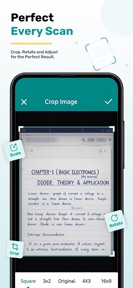


Scan OCR AI Photo Text Scanner is a productivity utility for iOS that converts images of printed text into editable digital content and PDF files.
The App DNA
What makes this app unique?
The app removes the time cost of manual data entry for users digitizing receipts, business cards, and academic notes.
For Students, professionals, and researchers who need to digitize printed documents and receipts.
What does it look like?
Key features
Converts printed content from images into editable text using optical character recognition.
Converts scanned images into PDF files for storage and sharing.
Allows users to select existing photos from the device gallery for text recognition.
How much does it cost?
The app is listed as free, but the data lacks specific details on IAP or subscription gates.
Velocity
Maintenance developmentopaqueShow more...
With only one release in the observed window, the app operates at a maintenance cadence of approximately one release every 33 days. Development activity is currently limited to the initial launch, and there is no evidence of ongoing feature iteration or live operations. Future momentum remains to be established as the developer has not yet shipped a follow-up update.
Who built it?
Muhammad Abdul Rauf
3 apps tracked · Productivity
 Ovulation: Period Calculator
 Age Calculator & Birth Date
User Sentiment
What do users think recently?
How are ratings & reviews evolving?
Not enough recent reviews to extract reliable themes yet.
Read the full review analysisCompetition
Competitive landscape for Scan OCR AI Photo Text Scanner
How's the Productivity market?
Scan OCR AI Photo Text Scanner occupies a niche utility role in the Productivity category, currently maintaining a single-version release history. The lack of updates 33 days post-launch indicates a passive market position compared to incumbents that ship feature iterations monthly.
Read the market outlookThe rivals identified
Unlock the deeper market read.
Access the full report for freeThe Analyst's Read
Key takeaways for Scan OCR AI Photo Text Scanner
Where is it heading?
The productivity utility market is currently consolidating around apps that offer deep cloud integration and cross-platform sync. Scan OCR AI Photo Text Scanner remains in a static state, which limits its growth potential as users increasingly demand more than basic text extraction.
- The 33-day gap since the last update indicates a maintenance-only lifecycle, which limits the app's ability to respond to user feedback or OS changes.
- The lack of active feature development prevents the app from competing with the rapid iteration cycles of major productivity suites, likely leading to stagnant install velocity.
The SWOT
- Lightweight architecture enables rapid text extraction without enterprise-grade bloat
- Batch scanning functionality could improve utility for high-volume document users
Next best moves
Audit OCR accuracy against top-tier competitors because the current maintenance-only status risks user churn to more reliable incumbents → maintain baseline utility
The counter-intuitive read
Users report: The app's lack of cloud-sync features…
Read the full takeBottom line
The current maintenance-only posture leaves Scan OCR AI Photo Text Scanner vulnerable to performance degradation, as the lack of updates 33 days post-launch signals a lack of active competitive defense against established productivity suites.
Unlock 1 critical friction, 1 market threat and the analyst’s take.
Access the full report for freeFAQ
Is Scan OCR AI Photo Text Scanner free to use?
How does Scan OCR AI Photo Text Scanner compare to Adobe Scan?
What are the limitations of the OCR technology in this app?
Sources
- [1] App Store, source
Report last updated