

Scan to PDF.
By Sikiwis
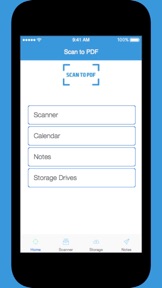


Scan to PDF. is a document scanning and cloud-sharing utility for iOS users.
The App DNA
What makes this app unique?
The app serves users needing to digitize physical receipts and reports, but the current lack of maintenance removes the ability to perform this basic task.
For Mobile users needing a basic tool to digitize physical documents and receipts for cloud storage.
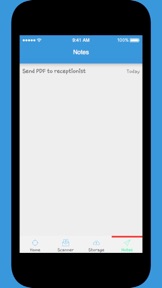
What does it look like?
Key features
Captures images of documents, receipts, and reports using the device camera
Converts captured images into PDF files for storage
Allows naming and sorting of scans into custom folders
Exports files to Dropbox, Evernote, Google Drive, or Box
How much does it cost?
The app is distributed as a free utility with no visible monetization, subscription, or in-app purchase tiers.
Velocity
Dormant developmentShow more...
Scan to PDF. has seen no development activity for 3,845 days. The app remains in a state of total stagnation with no updates or feature additions recorded in the provided history. There is no evidence of ongoing maintenance or support for the platform.
Who built it?
User Sentiment
What do users think recently?
Recent user voice shows an upset sentiment.
How are ratings & reviews evolving?
What users say, by theme
- The application fails to launch entirely following the latest update, preventing any user interaction with the interface
5 of 5 recent reviews analyzed · limited sample
Read the full review analysisUnlock 1 more frustration theme, each backed by review evidence.
Access the full report for freeCompetition
Competitive landscape for Scan to PDF.
How's the Utilities market?
Scan to PDF. holds a 1.0-star rating across 5 reviews, reflecting its current non-functional state. The lack of updates for over 3,800 days places it outside the competitive landscape of modern document scanners.
Read the market outlookThe rivals identified
Unlock the deeper market read.
Access the full report for freeThe Analyst's Read
Key takeaways for Scan to PDF.
Where is it heading?
The document scanning market has consolidated around high-frequency update cycles and cloud-native integration, leaving Scan to PDF. entirely obsolete. Continued inactivity will ensure the app remains a non-functional liability that provides no value to the developer or the user base.
- The lack of updates since 2016 creates a permanent barrier to usage, as the app is incompatible with current iOS system requirements.
- Consistent launch failures reported by users confirm that the app is effectively a zombie product, leading to immediate uninstalls and negative sentiment.
The SWOT
Next best moves
Sunset the application because it has been non-functional for over a decade → remove brand drag
The counter-intuitive read
The app's total dormancy is its only defining characteristic…
Read the full takeBottom line
Scan to PDF. is a non-functional legacy asset that requires a complete technical rebuild or sunsetting, as the current state of total abandonment prevents any user engagement or retention.
Unlock 2 critical frictions, 1 market threat and the analyst’s take.
Access the full report for freeFAQ
Is Scan to PDF. still receiving updates?
Does Scan to PDF. work on the latest version of iOS?
What is a free alternative to Scan to PDF.?
Sources
- [1] App Store
Report last updated