


Screen Clock Digital
By 3DLogical®

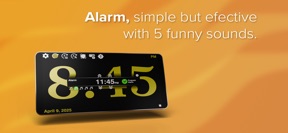


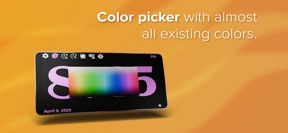
Screen Clock Digital is a utility app for iOS that converts unused mobile devices into customizable, always-on digital clocks.
The App DNA
What makes this app unique?
It removes the friction of managing idle hardware by providing a simple, zero-cost interface that keeps devices functional as desk accessories.
For Users looking to repurpose older, unused mobile devices into dedicated desk or bedside clocks.
What does it look like?
Key features
Prevents device sleep to maintain a persistent clock display, increasing screen-on time for unused devices.
Cycles through four brightness intensity levels via a double-tap gesture, providing immediate control.
Allows users to select font styles and colors from a palette to match desk decor.
How much does it cost?
Screen Clock Digital is distributed as a free utility with no visible monetization gates or subscription tiers.
Velocity
Maintenance developmentUX improvementsnew contentShow more...
Screen Clock Digital is currently in a maintenance phase, having shipped only one release in the last 25 days. The latest version introduced functional improvements including background color editing, gesture-based dimming, and alarm volume controls. Development appears focused on refining existing utility features rather than rapid iteration. Given the current release frequency, the app maintains a stable but slow development pace.
Who built it?
3DLogical®
5 apps tracked · Utilities
 The Hanoi Towers
 3D Parqués Lite
 Hangmaniac
 3D Parqués
User Sentiment
What do users think recently?
How are ratings & reviews evolving?
Not enough recent reviews to extract reliable themes yet.
Read the full review analysisCompetition
Competitive landscape for Screen Clock Digital
How's the Utilities market?
Screen Clock Digital operates as a niche utility in the Utilities category, maintaining a zero-cost model that prioritizes simplicity over monetization. The lack of recent review volume suggests it serves a stable, low-churn user base rather than a high-growth segment.
Read the market outlookThe rivals identified
Unlock the deeper market read.
Access the full report for freeThe Analyst's Read
Key takeaways for Screen Clock Digital
Where is it heading?
The utility market for device repurposing is consolidating around apps that offer multi-functional displays, such as weather and calendar integration. Screen Clock Digital remains stable in its current form, but the lack of feature expansion leaves it vulnerable to OS-level widget improvements that could render the app redundant.
- The maintenance-mode update cadence suggests the developer views the app as a finished utility rather than a growth-focused product.
- The addition of gesture-based brightness control indicates a focus on user-experience refinements that improve the app's utility as a bedside tool.
The SWOT
- Double-tap dimming provides immediate brightness control
- Zero-cost model removes barriers to entry
- Integrate weather or calendar widgets for desk utility
Next best moves
Ship calendar widget integration because it increases desk utility → higher daily retention
The counter-intuitive read
The lack of monetization is a strategic advantage…
Read the full takeBottom line
Screen Clock Digital provides a stable, zero-cost solution for device repurposing, but the lack of secondary data widgets limits its long-term desk utility. Prioritizing calendar or weather integration would increase the value of the screen-on time for users.
Unlock 2 critical frictions, 1 market threat and the analyst’s take.
Access the full report for freeFAQ
Is Screen Clock Digital free to use?
Does Screen Clock Digital prevent the device from sleeping?
Can I adjust the brightness of the clock?
Sources
- [1] App Store
Report last updated