


ScreenCat - Screenshot Cleaner


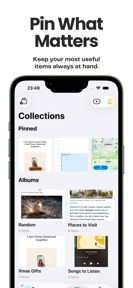


ScreenCat is a local-first screenshot management utility for iPhone that uses on-device OCR to search and sort images.
The App DNA
What makes this app unique?
Users report: Users want to reclaim storage and find specific information in screenshots without uploading personal data to third-party servers.
For iPhone users who accumulate large volumes of screenshots and require a private, local-first tool to manage their photo library.
What does it look like?
Key features
Searches text within screenshots using local processing, removing the need for cloud-based indexing.
Interface for sorting screenshots into keep or delete categories via directional swipes.
Automatic categorization of screenshots into views based on content types.
How much does it cost?
Monetization relies on a one-time purchase model to unlock the full feature set, avoiding recurring subscription costs.
Velocity
Maintenance developmentUX improvementsperformanceShow more...
The app maintains a maintenance-level cadence, with only one release shipped in the last 45 days. Development is currently focused on incremental UX improvements and library management refinements rather than rapid feature iteration. The latest release introduced functional updates to screenshot importing and trash management, but the overall pace remains slow. There is no evidence of a live-ops strategy or high-frequency update cycle.
Who built it?
User Sentiment
What do users think recently?
How are ratings & reviews evolving?
Not enough recent reviews to extract reliable themes yet.
Read the full review analysisCompetition
Competitive landscape for ScreenCat - Screenshot Cleaner
How's the Utilities market?
ScreenCat occupies the privacy-focused niche of the Utilities category, relying on local processing to differentiate from cloud-reliant photo management tools.
Read the market outlookThe rivals identified
Unlock the deeper market read.
Access the full report for freeThe Analyst's Read
Key takeaways for ScreenCat - Screenshot Cleaner
Where is it heading?
The utility market is consolidating around privacy-first workflows, which favors ScreenCat's local-processing architecture. However, ScreenCat must increase its feature velocity to stay ahead of native OS updates, or it risks being subsumed by platform-level improvements.
- The 45-day update cadence indicates a focus on stability, which limits the risk of regression but slows the response to new OS-level features.
The SWOT
- On-device OCR creates a privacy-focused barrier against cloud-reliant rivals.
- Localized pricing in high-ARPU markets offers a path to scale without recurring costs.
Next best moves
A/B test a limited-time introductory price for the Pro version because the one-time purchase model may under-monetize power users → increase conversion velocity
The counter-intuitive read
Users report: The lack of a subscription model is a feature…
Read the full takeBottom line
ScreenCat's local-first privacy focus provides a defensible position against cloud-reliant utilities, but the current maintenance-mode cadence risks stagnation if native OS features continue to absorb core functionality.
Unlock 1 critical friction, 1 market threat and the analyst’s take.
Access the full report for freeFAQ
Is ScreenCat safe for my private screenshots?
How does ScreenCat compare to the built-in Photos app?
Do I need to pay a subscription to use ScreenCat?
What happens if I delete screenshots in ScreenCat?
Sources
- [1] App Store
Report last updated