


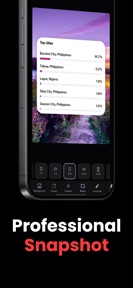


Screenshot Editor Capture Tool is a design utility for developers and creators to format and annotate screenshots for social media and app stores on iOS and Android.
The App DNA
What makes this app unique?
The tool removes the friction of using complex design software for simple visual assets, though technical instability currently limits its reliability for professional workflows.
For Developers, marketers, and content creators who need professional-grade screenshot mockups for social media and app stores.
What does it look like?
Key features
Automated image processing to polish screenshot quality; Premium-tier gate — direct paid-conversion lever for users seeking automated professional results.
One-click application of mockup styles like Stacked or Browser windows; Premium-tier gate — isolates exclusive design templates from free users to drive subscription.
Built-in tools to add text, arrows, and step markers; Increases utility for professional documentation — retention lever for developers and marketers.
How much does it cost?
Freemium model anchored by a $9.00 price point mentioned in user testimonials, gating advanced styles and unlimited exports.
Velocity
Maintenance developmentperformanceopaqueShow more...
With only two releases over the last several months, the app operates on a maintenance cadence of approximately one update every 2-3 months. Development is currently focused exclusively on minor stability improvements and metadata adjustments rather than new feature delivery. The latest release occurred 27 days ago, following a significant gap since the previous update on iOS. There is no evidence of active feature development or live operations.
Who built it?
Oliver Martinez
4 apps tracked · Photo & Video
 Real Write Natural AI Humanize
 Mock Visa Interview: Visaz AI
 Gen Z Bible BFF - Baeble
User Sentiment
What do users think recently?
Recent user voice shows a frustrated sentiment. Users appreciate the core screenshot editing functionality provides significant value for users lacking professional design skills.
How are ratings & reviews evolving?
What users say, by theme
- The core screenshot editing functionality provides significant value for users lacking professional design skills
- Aggressive monetization and lack of transparency regarding costs frustrate users expecting a free experience
29 of 29 recent reviews analyzed · moderate confidence · Frustrated overall
Read the full review analysisUnlock 2 more frustration themes, each backed by review evidence.
Access the full report for freeCompetition
Competitive landscape for Screenshot Editor Capture Tool
How's the Photo & Video market?
Screenshot Editor Capture Tool maintains a 4.23 rating on iOS across 86 reviews, while the Android version sits at 3.76 across 244 reviews. The rating gap between platforms suggests inconsistent performance or feature parity, impacting user trust in the tool's reliability.
Read the market outlookThe rivals identified
Unlock the deeper market read.
Access the full report for freeThe Analyst's Read
Key takeaways for Screenshot Editor Capture Tool
Where is it heading?
The market for screenshot design tools is consolidating, and Screenshot Editor Capture Tool's reliance on maintenance-mode updates leaves it exposed to more active rivals. Without addressing the technical instability that currently drives negative sentiment, the app will continue to see declining retention and conversion rates.
- Technical instability (crashes, save failures) in the latest version erodes the daily active habit, which compounds the rating drag already visible on Android.
- Maintenance-only update cadence without feature expansion leaves Screenshot Editor Capture Tool vulnerable to competitors with more active development cycles.
The SWOT
- One-click style presets provide immediate visual polish for non-designers
- Transparent, usage-based trial could convert users currently frustrated by the aggressive paywall
Next best moves
Audit launch-crash triggers because 1★ reviews flag instability as the top utility barrier → reduce churn
+ 1 more prioritized moveThe counter-intuitive read
Users report: The aggressive monetization is not the primary failure…
Read the full takeSince the last report: Platform-specific performance metrics now highlight a clear rating gap between iOS and Android, while the product strategy remains locked in a maintenance-only cycle.
Bottom line
Stabilizing the core workflow is the priority, as launch crashes and save-data failures prevent basic utility and drive negative sentiment. Resolving these technical regressions will unlock the retention needed to justify the current monetization model.
Unlock 2 critical frictions, 1 market threat, 1 more prioritized move and the analyst’s take.
Access the full report for freeFAQ
Is Screenshot Editor Capture Tool free to use?
Why does the app require an account to edit screenshots?
Does Screenshot Editor Capture Tool work offline?
Sources
Report last updated