


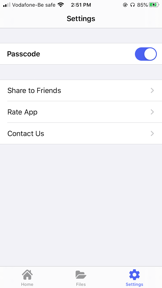

Secure File Manager is a file explorer for Android and iOS that provides centralized management for local, cloud, and network-attached storage.
The App DNA
What makes this app unique?
Users hire this app to replicate a desktop-like file navigation experience on mobile devices, allowing them to manage complex storage structures without the overhead of full productivity suites.
For Android and iOS users requiring centralized management of local, cloud, and network-attached storage files.
What does it look like?
Key features
Direct file management for Google Drive, OneDrive, Dropbox, Box, and Yandex, plus NAS and FTP server support
Visual breakdown of local storage usage to identify and remove large or useless files
Enables file transfer between Android device and PC over local network using FTP protocol
How much does it cost?
Ad-supported model monetizes high-volume user base through display inventory while offering IAP for feature expansion.
Velocity
Maintenance developmentUX improvementsperformanceShow more...
The app has released only one update in the last 14 months, resulting in a cadence of approximately 0.02 releases per week. Development is currently in a maintenance state, focusing exclusively on minor bug fixes and performance improvements rather than new feature development. The latest release includes minor UI adjustments and gesture toggles, but the overall development trend is stagnant. There is no evidence of live operations or recurring content updates.
Who built it?
AppCodism Technologies
13+ apps tracked · Photo & Video
 Feeds For Instagram Watch
 Parallel Space for WhatsApp WA
 Status Save
 Dual Accounts - Parallel Space
 IELTS Writing Exam Test Prep
 Fonts
Fonts  Watermark Copyright on Photo
 Secure Chats for WhatsApp WA
 Logo Maker - Create Design
 Whats Fonts for WhatsApp
 Collage Maker
 Vid.ly - Video Editor, Pic2GIF
User Sentiment
What do users think recently?
Review voice lately leans thrilled. Users appreciate file management utility provides a familiar windows explorer experience for mobile storage navigation, but report data loss incidents during file transfer operations between folders post-update.
How are ratings & reviews evolving?
What users say, by theme
- File management utility provides a familiar Windows Explorer experience for mobile storage navigation
- Data loss incidents during file transfer operations between folders post-update
52 of 52 recent reviews analyzed · high confidence · Thrilled overall
Read the full review analysisUnlock 1 user request, each backed by review evidence.
Access the full report for freeCompetition
Competitive landscape for Secure File Manager
How's the Photo & Video market?
Secure File Manager maintains a high-volume user base on Android with over 1.6M ratings, while its iOS presence remains niche with 91 ratings. The significant gap in platform adoption suggests the app is primarily viewed as an Android-native utility.
Read the market outlookThe rivals identified

By Readdle Technologies Limited
This app dominates the productivity-focused file management space with a massive, highly active user base and frequent feature updates.
- Integrated PDF editor and annotation engine provides a comprehensive document workflow beyond simple file storage.
- Advanced multi-tab browsing interface allows users to manage complex file structures with desktop-class efficiency.
- Robust built-in media player supports high-fidelity audio and video playback directly within the file manager.


Unlock the head-to-head verdict: where this rival wins, and where it loses.
Access the full report for freeThe Analyst's Read
Key takeaways for Secure File Manager
Where is it heading?
The file management market is consolidating around productivity-suite features, leaving standalone utilities like Secure File Manager exposed to feature-parity competition. The team must pivot from simple storage navigation to stability-first engineering to prevent the current rating drag from accelerating into a permanent user exodus.
- Data loss incidents in the latest release erode user trust, which compounds the churn risk already visible in recent feedback.
- Active feature investment in the latest release (video gestures, new-file highlighting) signals the team is not in maintenance mode.
The SWOT
- Desktop-like folder architecture lowers user onboarding friction
- Multi-protocol cloud integration creates high switching costs
- Storage analysis tool drives daily utility
- Implement dark mode to improve accessibility
- Introduce ad-free IAP tier to monetize power users
- Expand NAS protocol support
Next best moves
Ship stability patch for file transfer logic because data loss is the #1 churn risk → restore user trust
+ 1 more prioritized moveThe counter-intuitive read
The app's massive Android install base is a liability…
Read the full takeFeature gaps
Integrated PDF editor and annotation engine (available in Documents by Readdle but absent here) +1
Since the last report: The app transitioned to a freemium monetization model and introduced new file management features, but these gains are offset by critical data loss reports following the latest update.
Bottom line
Secure File Manager holds its category lead through sticky desktop-like navigation but bleeds trust due to recent data loss, so revenue growth hinges on prioritizing stability over new feature expansion.
Unlock 3 critical frictions, 3 market threats, 1 more prioritized move and the analyst’s take.
Access the full report for freeFAQ
Is Secure File Manager safe for sensitive documents?
How does Secure File Manager compare to Files by Google?
Does the free version have ads?
Report last updated