


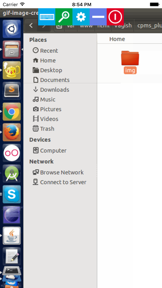

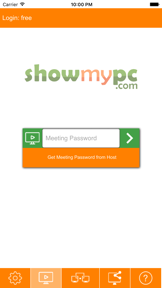
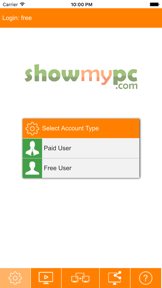
ShowMyPC Remote Support and Access is a cross-platform desktop sharing and remote-control tool for IT support and remote work.
The App DNA
What makes this app unique?
The service removes the physical distance between a user and their host machine, though the mobile interface currently introduces navigation friction that complicates the remote-control workflow.
For Remote workers, IT support professionals, and businesses requiring secure, cross-platform remote access and AI-assisted helpdesk tools.
What does it look like?
Key features
Remote control of home or office computers without requiring a user on the host side.
AI-powered chatbot platform for automated customer support and hybrid human-agent handoff.
Browser-based remote access that eliminates the need for host-side software downloads.
How much does it cost?
Subscription model anchored at $4.99/month for single-device access, scaling pricing based on the number of managed endpoints.
Velocity
Dormant developmentopaquemonetizationShow more...
The app exhibits a fragmented development history with a total of two distinct versions identified in the history window. While the Android platform received an update 25 days ago, the iOS platform has not seen a release in 3,777 days. Given the lack of consistent cross-platform support and the extreme dormancy on one of the primary platforms, the development momentum is classified as zombie.
Who built it?
User Sentiment
What do users think recently?
Review voice lately leans mixed. Users appreciate remote desktop functionality provides a reliable way for users to support friends and colleagues remotely and cross-platform accessibility allows users to manage their home or office computers from mobile devices, but report navigation difficulties during remote sessions make controlling the mouse and keyboard feel imprecise and frustrating.
How are ratings & reviews evolving?
What users say, by theme
- Remote desktop functionality provides a reliable way for users to support friends and colleagues remotely
- Cross-platform accessibility allows users to manage their home or office computers from mobile devices
- Navigation difficulties during remote sessions make controlling the mouse and keyboard feel imprecise and frustrating
52 of 52 recent reviews analyzed · high confidence · Mixed overall
Read the full review analysisUnlock 2 more frustration themes and 1 user request, each backed by review evidence.
Access the full report for freeCompetition
Competitive landscape for ShowMyPC Remote Support and Access
How's the Productivity market?
ShowMyPC maintains a legacy presence in the productivity category, though its 2.8-star rating on Android across 574 ratings signals significant stability issues. The lack of iOS updates since 2016 creates a widening performance gap compared to modern remote-access standards.
Read the market outlookThe rivals identified
Unlock the deeper market read.
Access the full report for freeThe Analyst's Read
Key takeaways for ShowMyPC Remote Support and Access
Where is it heading?
The remote-access market is consolidating around platforms with high-frequency update cycles and stable mobile-to-desktop handoffs. ShowMyPC remains exposed due to its stagnant development cadence, which will likely accelerate user migration to more reliable, actively maintained alternatives.
- Technical instability and connection drops during sessions erode user trust, leading to consistent negative feedback on Android.
- The decade-long update gap on iOS prevents the app from utilizing modern OS features, rendering it increasingly obsolete for mobile users.
The SWOT
- Unattended PC access enables remote management without host-side presence
- Native notification support would improve remote system monitoring
Next best moves
Audit subscription paywall messaging because user reviews report feeling misled by free-service marketing -> reduce churn
+ 1 more prioritized moveThe counter-intuitive read
The lack of mobile updates is not just a neglect issue…
Read the full takeSince the last report: The app's market position has shifted from a mixed-utility status to a declining trajectory, driven by a significant drop in Android ratings and an expanded, more critical review pool.
Bottom line
Clarifying the subscription model would address the primary source of negative sentiment, reducing the friction that currently drives users away during the initial setup.
Unlock 2 critical frictions, 2 market threats, 1 more prioritized move and the analyst’s take.
Access the full report for freeFAQ
Is ShowMyPC free to use?
Does ShowMyPC work on mobile devices?
What is the difference between ShowMyPC and modern alternatives?
Sources
Report last updated