


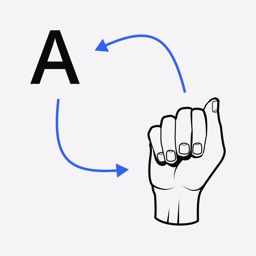
Sign Language Translator is an education app providing a visual reference for ASL finger spelling and numbers on iOS.
The App DNA
What makes this app unique?
Users hire this app for low-friction, camera-based ASL practice, but the technical failure to recognize gestures prevents the app from fulfilling its core utility.
For Individuals seeking a basic visual reference for American Sign Language letters and numbers.
What does it look like?
Key features
Visual reference library for American Sign Language letters A-Z and numbers 0-9
UI adjustments to support better navigation and readability for users with varying needs
How much does it cost?
The app operates as a free utility with no visible subscription or in-app purchase gates.
Velocity
Dormant developmentUX improvementsaccessibilityShow more...
The app has been effectively dormant for an extended period, with no meaningful updates since the release of version 1.1.91 in August 2025. Prior to this, the development history shows a cluster of activity in late 2021 and early 2022, but the current cadence is non-existent. There is no evidence of ongoing maintenance, feature development, or live operations. The app is classified as a zombie due to the lack of activity for over 12 months.
Who built it?
User Sentiment
What do users think recently?
Fresh user feedback skews frustrated. Users appreciate innovative concept for learning sign language through mobile camera interaction.
How are ratings & reviews evolving?
What users say, by theme
- Innovative concept for learning sign language through mobile camera interaction
- Frequent application crashes and poor responsiveness during finger spelling practice
23 of 23 recent reviews analyzed · moderate confidence · Frustrated overall
Read the full review analysisUnlock 2 more frustration themes and 2 user requests, each backed by review evidence.
Access the full report for freeCompetition
Competitive landscape for Sign Language Translator
How's the Education market?
Sign Language Translator holds niche visibility in international education charts, appearing at #89 and #100 in regional rankings. The lack of monetization gates suggests a focus on user acquisition, yet the 3.96 rating is suppressed by persistent technical instability.
Read the market outlookThe rivals identified

By Vcom3D
Both apps target users seeking to learn American Sign Language, directly competing for the same educational niche.
- Features a 3D character animation engine for visualizing signs that this app lacks.
- Includes a comprehensive history management system for tracking previously viewed signs and learning progress.
- According to reviews, users allege the app suffers from significant stability issues and outdated interface design.
Unlock the head-to-head verdict: where this rival wins, and where it loses.
Access the full report for freeThe Analyst's Read
Key takeaways for Sign Language Translator
Where is it heading?
The educational utility market is consolidating around apps that offer reliable, high-fidelity feedback, leaving Sign Language Translator exposed. Without a significant update to address camera tracking and stability, the app will continue to lose its remaining user base to more stable competitors.
- Persistent application crashes during practice sessions lead to user abandonment, which compounds the rating drag already visible on the platform.
The SWOT
- Free access to all content lowers the barrier for entry-level learners
- Expansion of curriculum beyond basic finger spelling to include full word vocabulary
Next best moves
Rebuild camera tracking logic because current gesture recognition requires extreme stillness → reduce frustration and churn
The counter-intuitive read
The app's lack of monetization is not a…
Read the full takeFeature gaps
3D character animation engine (available in Sign 4 Me but missing here) +1
Since the last report: The app's competitive position remains stagnant, with new user requests for curriculum expansion and a more detailed identification of feature gaps relative to competitors.
Bottom line
The app provides a useful concept for ASL learning, but frequent crashes and poor gesture recognition prevent consistent usage, so the PM must prioritize technical stability over content expansion to prevent further churn.
Unlock 2 critical frictions, 1 market threat and the analyst’s take.
Access the full report for freeSources
- [1] App Store, source
Report last updated