



Sketchbook Pro is a professional-grade sketching and painting application for artists on iOS and Android.
Product velocity
Maintenance
Daily rank 🇺🇸
—
Graphics & Design
Sentiment
4.0
703k reviews
Nemesis

Procreate Pocket
The App DNA
What makes this app unique?
It removes the cognitive friction of complex menu systems, allowing artists to focus on the canvas rather than the toolset.
For Artists and illustrators requiring professional-grade drawing tools that bridge mobile sketching and desktop production workflows.
What does it look like?
Key features
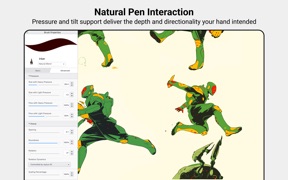
Customizable marking-menus allow tool access via wrist flick, reducing workflow friction.
Opens and creates layered files compatible with desktop creative software, enabling professional pipeline integration.
Traditional-style hand-drawn 2D animation toolset expands use-cases beyond static illustration.
How much does it cost?
The freemium model on Android lowers the barrier to entry compared to the upfront premium cost of rivals.
Velocity
Maintenance developmentUX improvementsperformanceShow more...
Sketchbook Pro maintains a maintenance-level cadence, averaging approximately 0.09 releases per week over the observed window. While the latest release provided meaningful feature additions, the overall development trend is characterized by long intervals between updates, with the Android platform remaining significantly behind the iOS release schedule. Development is primarily focused on UX improvements and performance, with no evidence of a live-ops strategy. The current pace suggests a focus on stability and occasional feature drops rather than rapid iteration.
Who built it?
Sketchbook
3 apps tracked · Graphics & Design
 Sketchbook®
 Sketchbook® Premium
User Sentiment
What do users think recently?
The recent review mood reads excited. Users appreciate intuitive interface design allows artists to begin sketching immediately without navigating through complex menu systems and smooth brush responsiveness provides a natural drawing experience that mimics physical media for digital artists, but report application crashes during intensive tasks like flipbook creation or layer manipulation disrupt the creative workflow.
How are ratings & reviews evolving?
What users say, by theme
- Intuitive interface design allows artists to begin sketching immediately without navigating through complex menu systems
- Smooth brush responsiveness provides a natural drawing experience that mimics physical media for digital artists
- Free access to a wide range of professional-grade tools makes this an accessible entry point for beginners
- Application crashes during intensive tasks like flipbook creation or layer manipulation disrupt the creative workflow
102 of 174 recent reviews analyzed · high confidence · Excited overall
Read the full review analysisUnlock 2 more frustration themes and 3 user requests, each backed by review evidence.
Access the full report for freeCompetition
Competitive landscape for Sketchbook Pro
How's the Graphics & Design market?
Sketchbook Pro occupies a unique position as a cross-platform professional tool, contrasting with the iPad-exclusive dominance of its primary nemesis. The freemium Android model provides a reach advantage that premium-only competitors cannot match.
Read the market outlookThe rivals identified
By Savage Interactive Pty Ltd
The industry standard for professional iPad illustration, maintaining a superior balance of performance and intuitive gesture-based UI.
- Industry-leading brush engine
- Optimized Metal-based performance
- Minimalist gesture-driven workflow
 ProcreateNemesis
 ibis Paint XContender
 FlipaClip: Draw 2D AnimationContender
 Paper: Sketch, Draw & CreateContender
 Tayasui SketchesContender
 ArtRage VitaeContender
 MediBang Paint for DesktopContender
Unlock the head-to-head verdict: where this rival wins, and where it loses.
Access the full report for freeThe Analyst's Read
Key takeaways for Sketchbook Pro
Where is it heading?
The digital illustration market is consolidating around high-performance, gesture-driven workflows. Sketchbook Pro remains advantaged by its cross-platform accessibility, but the current stability issues create a vulnerability that rivals with higher release velocity will exploit.
- The latest update introduced requested selection and fill tools, showing active feature investment rather than maintenance-only status.
- Persistent application crashes during intensive tasks erode user trust, which could lead to long-term churn among professional illustrators.
The SWOT
- Lagoon UI marking-menus reduce workflow friction
- PSD/TIFF compatibility enables professional pipeline integration
- Freemium Android entry point captures high-volume user base
- Cloud-based account sync would improve multi-device retention
- Dedicated pixel art tools would capture specialized creators
- Multiplayer drawing modes would enable collaborative sessions
Next best moves
Audit and stabilize the flipbook animation engine because crashes during intensive tasks are the top-reported stability complaint → reduce churn of power users.
+ 1 more prioritized moveThe counter-intuitive read
The app's freemium Android model is a stronger…
Read the full takeFeature gaps
Real-time collaborative editing (available in Figma but absent here) +1
Since the last report: Sketchbook Pro transitioned from a purely maintenance-focused posture to one of active feature development, evidenced by the positive reception of new selection and fill tools. This shift in development activity improved the sentiment score from 65 to 75, though persistent stability issues during intensive tasks remain a primary barrier to professional retention.
Bottom line
Sketchbook Pro's intuitive interface and cross-platform reach provide a defensible position against premium-only rivals. Stabilizing the core animation and layer-management tools is the necessary move to prevent power users from migrating to more reliable, high-performance alternatives.
Unlock 3 critical frictions, 3 market threats, 1 more prioritized move and the analyst’s take.
Access the full report for freeFAQ
Is Sketchbook Pro suitable for professional illustrators?
How does Sketchbook Pro compare to Procreate?
Does Sketchbook Pro have a free version?
What are some free alternatives to Sketchbook Pro?
Sources
- [1] Play Store listing, source
Report last updated