


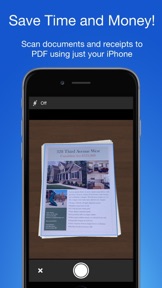

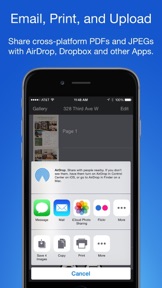
Smart PDF Scanner is an iOS document scanning utility that converts mobile photos into high-quality PDF files. It distinguishes itself through automated image processing, perspective correction, and a color-coded tagging system for document management.
Overview · Full Intel report in progress
The App DNA
What makes this app unique?
For Business professionals and mobile users who need to digitize and organize physical documents on the go.
What does it look like?
Key features
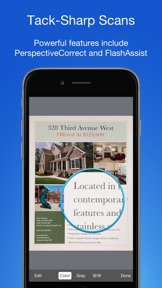
Automatically detects page edges and corrects perspective for clear, readable scans.
Optimizes scan quality in low-light environments.
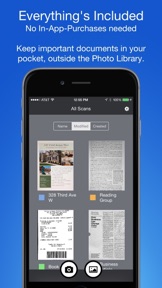
Organizes documents using custom, color-coded categories instead of traditional folder structures.
Allows users to adjust correction and enhancement settings after the initial scan.
How much does it cost?
Velocity
Who built it?
Qrayon
13+ apps tracked · Business
 Inkflow Plus Visual Notebook
 Whiteboard Pro by Qrayon
 Holmes+ Audio Books
 Resume Star: Pro CV Maker
 Inkflow Visual Notebook
 Simple Whiteboard by Qrayon
 Cardflow: Storyboard Mind Map
 Air Sketch Free
 Vittle: Screencast Recorder
 Air Projector: Photo Slideshow
 Smart PDF Editor
 Resume Star: Pro CV Designer
User Sentiment
What do users think recently?
How are ratings & reviews evolving?
Not enough recent reviews to extract reliable themes yet.
Read the full review analysisCompetition
Competitive landscape for Smart PDF Scanner
How's the Business market?
The rivals identified

By Hareshbhai Issamaliya
Both applications target mobile document digitization, competing for the same productivity audience through overlapping core scanning and image processing capabilities.
- Smart PDF Scanner provides a color-coded tagging system for document management, while the rival lacks native organization tools.
- The rival includes built-in e-signature functionality for contracts, a feature absent from the Smart PDF Scanner feature set.
- Smart PDF Scanner utilizes FlashAssist for scan quality, whereas the rival relies on standard smart cropping and auto-enhancing.
 Scan To PDF: JustScanContender
 ScanGuru: PDF & Photo ScannerContender
 xScan : Document Scanner AppContender
 Photo to PDF Convert Scanner +Contender
 Scanner - Edit PDF & documentsContender
 Scanner PDF – scan documentContender
 Camera Scanner - PDF Scan OCRContender
 ScanMate: Mobile Doc ScannerContender
Show 1 more

Unlock the head-to-head verdict: where this rival wins, and where it loses.
Access the full report for freeThe Analyst's Read
Key takeaways for Smart PDF Scanner
Where is it heading?
Bottom line
This app provides a streamlined, tag-based alternative to traditional folder management for mobile document scanning.
Report last updated