


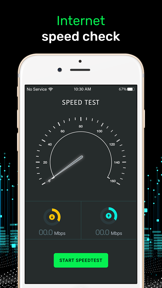

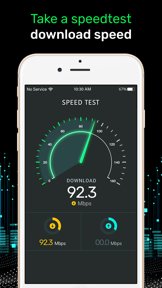
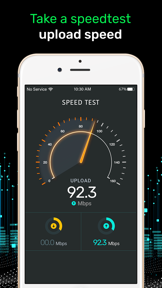
Speed Test, Network Analyzer is a utility for measuring ping, download, and upload speeds on iOS devices.
The App DNA
What makes this app unique?
Users rely on the app to verify if their ISP is intentionally slowing down streaming services without the bias of provider-owned tools.
For Mobile and home internet users who need to verify connection speeds and monitor network stability.
What does it look like?
Key features
Measures download, upload, and ping latency for various connection types.
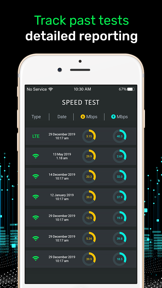
Logs previous speed test results to monitor network stability over time.
How much does it cost?
Subscription model uses recurring billing cycles to monetize utility, with pricing localized via Apple's App Store Matrix.
Velocity
Dormant developmentopaqueShow more...
Development has ceased, with no updates released in over 960 days. The app remains in a zombie state, as the last available release was over 32 months ago. There is no evidence of ongoing maintenance or feature development.
Who built it?
Kartum Infotech
7 apps tracked · Utilities
 Reel Maker & Editor - BeatMix
 Volume Booster - Equalizer FX
 Period Tracker & Ovulation App
 Click to Chat - Direct Msg
 Christmas Photo & Video Editor
 Drum Pad, Beat Maker - Electro
User Sentiment
What do users think recently?
Review voice lately leans excited. Users appreciate independent speed measurements provide unbiased data that is not influenced by internet service provider throttling and simple interface allows users to quickly compare network performance across different home locations and devices.
How are ratings & reviews evolving?
What users say, by theme
- Independent speed measurements provide unbiased data that is not influenced by internet service provider throttling
- Simple interface allows users to quickly compare network performance across different home locations and devices
- Lack of intrusive advertisements and unnecessary permissions creates a clean experience for privacy-conscious users
- Inconsistent test results across different network types lead users to question the accuracy of measurements
20 of 20 recent reviews analyzed · moderate confidence · Excited overall
Read the full review analysisUnlock 2 more frustration themes and 1 user request, each backed by review evidence.
Access the full report for freeCompetition
Competitive landscape for Speed Test, Network Analyzer
How's the Utilities market?
Speed Test, Network Analyzer maintains a 3.06-star rating across 49 total ratings. The lack of updates for over 960 days signals a maintenance-mode posture that leaves the app exposed to more active diagnostic rivals.
The rivals identified
The Analyst's Read
Key takeaways for Speed Test, Network Analyzer
Where is it heading?
The diagnostic utility market is consolidating around apps with frequent release cadences that adapt to new 5G and fiber standards. Speed Test, Network Analyzer remains in maintenance mode, which leaves it exposed to performance degradation and eventual obsolescence as the user base migrates to more reliable alternatives.
- The 964-day update gap indicates a lack of maintenance, which leads to unresolved crashes and erodes user trust in the app's accuracy.
The SWOT
- Ad-free interface creates a privacy-focused diagnostic experience
- Adding detailed diagnostic labels would satisfy power users
Next best moves
Audit launch stability because crashes are the top-reported complaint → reduce churn
The counter-intuitive read
Users report: The app's lack of updates is…
Read the full takeSince the last report: Development remains stalled for 964 days, with the primary change being a more critical framing of the maintenance-mode status in the executive summary and a shift in the contrarian perspective regarding update frequency.
Bottom line
Addressing the stability failures on launch is the priority, as these crashes prevent the app from serving its core diagnostic function. Resolving these technical regressions would stabilize the user base and prevent further churn to more active diagnostic alternatives.
Unlock 2 critical frictions, 1 market threat and the analyst’s take.
Access the full report for freeFAQ
Is Speed Test, Network Analyzer safe to use?
How does this app compare to ISP-provided speed tests?
What is a free alternative to this app?
Sources
- [1] App Store, source
Report last updated