


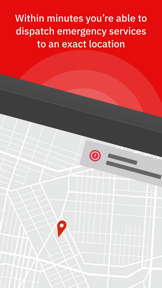
StaySafe is a lone-worker safety app for iOS and Android that provides automated check-ins, impact detection, and emergency alerts for field employees.
The App DNA
What makes this app unique?
Employers hire the service to meet safety compliance standards, while field workers use it to maintain a safety link in isolated environments.
For Field workers and lone employees in high-risk sectors like utilities, construction, healthcare, and local government.
What does it look like?
Key features
Compliance with British Standard for lone worker device services.
Automatic fallback to SMS when data connections are unavailable.
Automated alert triggers based on accelerometer data.
How much does it cost?
B2B subscription model anchored in enterprise safety compliance, requiring external sign-up via website.
Velocity
Maintenance developmentperformanceopaqueShow more...
The app currently ships approximately 0.14 releases per week, placing it firmly in the maintenance tier. Development is characterized by opaque, generic release notes focused exclusively on under-the-hood improvements and bug fixes. There is no evidence of new feature development or live operations. The cadence has remained stable at this low frequency over the observed period.
Who built it?
User Sentiment
What do users think recently?
Review voice lately leans frustrated. Users appreciate simple and intuitive interface design allows for quick check-ins during the workday.
How are ratings & reviews evolving?
What users say, by theme
- Simple and intuitive interface design allows for quick check-ins during the workday
- Excessive alert volume and lack of user control over alarm settings cause distress
40 of 40 recent reviews analyzed · high confidence · Frustrated overall
Read the full review analysisUnlock 1 more frustration theme and 1 user request, each backed by review evidence.
Access the full report for freeCompetition
Competitive landscape for StaySafe Lone Worker
How's the Business market?
StaySafe maintains a niche B2B position in the Business category, with recent chart entries in IE, DK, and NZ. The reliance on enterprise-only access creates a high barrier to entry that limits consumer-side growth.
Read the market outlookThe rivals identified
Unlock the deeper market read.
Access the full report for freeThe Analyst's Read
Key takeaways for StaySafe Lone Worker
Where is it heading?
The lone worker market is shifting toward simplified, high-frequency check-in models that prioritize user-friendly interfaces over complex enterprise setups. StaySafe remains advantaged by its regulatory moat, but the current update cadence lacks the feature expansion needed to counter agile, low-friction entrants like Nod.
- High-frequency complaints about non-customizable alarms → user distress → increased churn risk in professional environments.
- BS8484 accreditation maintains a strong B2B moat against non-certified entrants in the UK market.
The SWOT
- BS8484 accreditation functions as a regulatory barrier to entry for non-certified rivals
- Low signal SMS fallback secures safety continuity in remote industrial environments
- Automated impact detection reduces manual input requirements for field staff
- Simplified onboarding flows could capture market share from enterprise-heavy competitors
- User-defined alert settings would reduce workplace disruption complaints
Next best moves
Ship user-defined volume and sound settings because alert volume is the #1 complaint → reduce user distress and churn
+ 1 more prioritized moveThe counter-intuitive read
The app's high-friction, enterprise-heavy onboarding is a feature, not a bug…
Read the full takeFeature gaps
Simplified 1-click onboarding (available in Nod but absent here) +1
Since the last report: The app's competitive position has declined due to negative user feedback regarding alarm intrusiveness and battery performance, prompting a pivot toward core UX stability.
Bottom line
StaySafe secures enterprise contracts through regulatory compliance but risks long-term churn due to aggressive, non-customizable alert behavior. The PM must prioritize user-defined notification settings to prevent field workers from disabling the app during critical work hours.
Unlock 3 critical frictions, 2 market threats, 1 more prioritized move and the analyst’s take.
Access the full report for freeReport last updated