





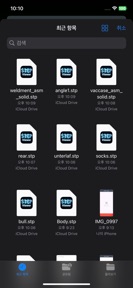


STEP Viewer is a CAD file inspection tool for iOS that converts STEP files to GLB format for 3D viewing.
The App DNA
What makes this app unique?
Users hire this app to inspect 3D engineering models on mobile devices without needing a desktop workstation, serving the need for portable CAD review.
For Engineers, designers, and students who need to view and inspect CAD files on mobile devices.
What does it look like?
Key features
Converts STEP AP203 and AP214 CAD files into GLB format for 3D rendering.
In-app credit system that allows users to remove ads.
How much does it cost?
Freemium model utilizing an ad-free credit system to monetize user sessions without a fixed subscription.
Velocity
Maintenance developmentUX improvementsmonetizationShow more...
The app has shipped only one release in the last seven months, indicating a maintenance-focused development cycle. The latest version addressed a specific touch control issue and adjusted the cap for ad-free credits. There is no evidence of active feature development or live operations. Development momentum is currently stagnant.
Who built it?
User Sentiment
What do users think recently?
How are ratings & reviews evolving?
Not enough recent reviews to extract reliable themes yet.
Read the full review analysisCompetition
Competitive landscape for STEP Viewer
How's the Productivity market?
STEP Viewer occupies a niche productivity space for mobile CAD inspection, but its 220-day update gap signals a lack of competitive urgency in a category where users expect frequent compatibility updates.
Read the market outlookThe rivals identified
Unlock the deeper market read.
Access the full report for freeThe Analyst's Read
Key takeaways for STEP Viewer
Where is it heading?
The mobile CAD viewer market is consolidating around tools that offer cloud-sync and measurement features. STEP Viewer remains in maintenance-mode, which will likely lead to a gradual decline in user interest as competitors iterate on professional-grade features.
- The 220-day update gap indicates maintenance-mode status, which leaves the app vulnerable to OS-level changes that could break core rendering functionality.
The SWOT
- 6-face view presets provide standard inspection utility for CAD students
- Credit-based ad removal offers a low-friction monetization path for casual users
- Integration with cloud storage providers could solve the current file-management friction
- Adding measurement tools would differentiate the app for professional engineering workflows
Next best moves
Ship cloud storage integration because manual file management is a top friction point → increase session retention
The counter-intuitive read
The app's lack of a subscription model is a liability, not an advantage…
Read the full takeSince the last report: The app remains in maintenance mode with no feature or pricing changes, though the competitive assessment now emphasizes the risk of OS-level compatibility issues.
Bottom line
STEP Viewer provides a basic utility for CAD file conversion, but its 7-month update cadence suggests the developer is not prioritizing growth, so the PM should pivot to a maintenance posture while evaluating if a feature-set expansion can justify a subscription tier.
Unlock 2 critical frictions, 2 market threats and the analyst’s take.
Access the full report for freeSources
- [1] App Store, source
Report last updated