


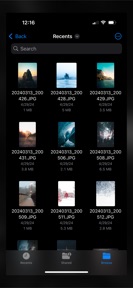


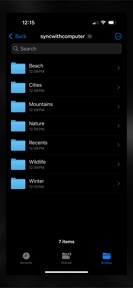
Sync with Computer is a file management tool that synchronizes photo libraries to local computer storage via SSH/SFTP on iOS.
The App DNA
What makes this app unique?
The app removes the dependency on cloud-based storage services by enabling direct, user-controlled folder synchronization to local hardware.
For Users who manage large photo libraries and require manual control over folder structures on local computer storage.
What does it look like?
Key features
Transfers photo library and album hierarchy to a computer via secure network protocols.
Uploads video components of Live Photos and preserves metadata for edited versions of media.
Restricts free users to 3 top-level folders and 200 total photos, forcing premium conversion.
How much does it cost?
The freemium model uses hard volume caps on library size to drive conversion to the premium subscription.
Velocity
Dormant developmentUX improvementsShow more...
With only one release in the observed window and no updates for 255 days, the app is currently in a zombie state. Development momentum has ceased, and there are no signs of active maintenance or feature iteration. The latest release focused on organizational improvements for photo management, but the lack of subsequent activity suggests the project is no longer being supported.
Who built it?
Pixegram
7 apps tracked · Productivity
 Sync with iCloud Drive
 MetaFixer
 Sync with Files
 Sync with OneDrive
 Photos+ Cloud Library
 Sync with S3
User Sentiment
What do users think recently?
How are ratings & reviews evolving?
Not enough recent reviews to extract reliable themes yet.
Read the full review analysisCompetition
Competitive landscape for Sync with Computer
How's the Productivity market?
Sync with Computer operates in the productivity category, focusing on local-first file management. The app has not received a major update in 256 days, signaling a maintenance-only posture that limits its ability to compete with evolving OS-level sync features.
Read the market outlookThe rivals identified
Unlock the deeper market read.
Access the full report for freeThe Analyst's Read
Key takeaways for Sync with Computer
Where is it heading?
The market for local-first file management is consolidating as OS-level sync features become more robust. Sync with Computer remains exposed due to its stalled update cadence, which will likely lead to user churn if the app fails to maintain compatibility with the latest iOS file system changes.
- The 256-day update gap suggests the app is in maintenance mode, which increases the risk of breakage during future iOS updates.
The SWOT
- SSH/SFTP protocol integration enables direct, secure file transfer without third-party cloud dependency
- Adding automated sync scheduling would address the manual-run requirement that currently limits utility for power users
Next best moves
Ship automated sync scheduling because the current manual-run requirement limits utility for power users → increase daily active usage
The counter-intuitive read
The lack of cloud integration is the app's primary asset…
Read the full takeSince the last report: The product remains in a maintenance-only state with no functional updates, though the analytical framing of its competitive weaknesses has sharpened. The PM has pivoted from a general stability audit to prioritizing automated sync scheduling to address user friction.
Bottom line
Sync with Computer provides a secure, local-first transfer mechanism that serves users seeking data sovereignty. The current maintenance-mode cadence risks obsolescence as OS-level sync tools improve, so prioritizing automated background sync would unlock higher retention among power users.
Unlock 1 critical friction, 1 market threat and the analyst’s take.
Access the full report for freeFAQ
Is Sync with Computer free to use?
Does Sync with Computer delete photos from my phone?
How does Sync with Computer transfer my photos?
Sources
- [1] App Store, source
Report last updated