


Tutorial for Excel : Learn Excel In A Intuitive Way : Best Free Guide For Students As Well As For Professionals From Beginners to Advance Level With Examples
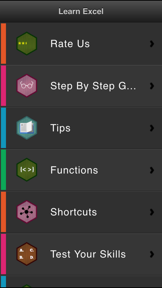

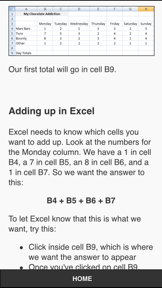
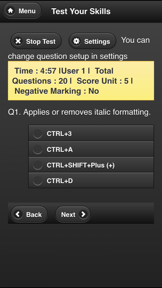
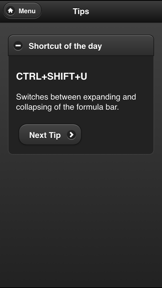
Tutorial for Excel is a reference application providing step-by-step guidance and skill-testing quizzes for MS-Excel users on iOS.
The App DNA
What makes this app unique?
Users hire this app to bridge the gap between basic data entry and advanced statistical manipulation through a structured, quiz-verified learning path.
For Students and professionals seeking to improve their data manipulation and statistical skills in MS-Excel.
What does it look like?
Key features
Reference list of keyboard shortcuts for MS-Excel navigation and manipulation.
Sequenced tutorial modules covering Excel functions from beginner to advanced levels.
Interactive assessment tool to verify user mastery of Excel concepts.
How much does it cost?
The app operates as a free, ad-supported reference tool with no visible premium gates.
Velocity
Dormant developmentopaqueShow more...
The app has reached a zombie state, with no updates or development activity recorded in over 3,900 days. The last release, version 1.2, provided minor content organization and formula additions, but the developer has since abandoned the platform. There is no evidence of ongoing maintenance, feature development, or live operations.
Who built it?
rana hamad khan
5 apps tracked · Reference
 Tutorial for Microsoft Word - Best Free Guide For Students As Well As For Professionals From Beginners to Advanced Level Examples
 ALL Maths Formulas Guide
 Tutorial For cSharp Programming - Best Free Guide To Learn C# For Students As Well As For Professionals From Beginners to Advanced Level with Interview Questions
 Basic Accounting Tutorial 2018
User Sentiment
What do users think recently?
How are ratings & reviews evolving?
Not enough recent reviews to extract reliable themes yet.
Read the full review analysisCompetition
Competitive landscape for Tutorial for Excel : Learn Excel In A Intuitive Way : Best Free Guide For Students As Well As For Professionals From Beginners to Advance Level With Examples
How's the Reference market?
The app maintains a 4.27 rating across 45 reviews, but the lack of updates since 2015 limits its competitive standing against modern, frequently refreshed reference tools.
Read the market outlookThe rivals identified
Unlock the deeper market read.
Access the full report for freeThe Analyst's Read
Key takeaways for Tutorial for Excel : Learn Excel In A Intuitive Way : Best Free Guide For Students As Well As For Professionals From Beginners to Advance Level With Examples
Where is it heading?
The reference app market is consolidating around tools that offer real-time cloud integration and frequent content refreshes. Tutorial for Excel remains in a zombie state, signaling that it will continue to lose relevance as Excel features evolve beyond the 2015-era content.
- The total lack of feature expansion or maintenance since 2015 suggests the developer has abandoned the project, which forces users to seek more reliable, current alternatives.
The SWOT
- Interactive quiz mechanism provides a functional differentiator against static reference guides
- Modernizing content for current Excel versions could capture the student segment
Next best moves
Sunset the application because the 10-year maintenance gap prevents competitive viability → eliminate brand drag
The counter-intuitive read
The app's decade-long silence is its most honest feature…
Read the full takeSince the last report: The app remains in a zombie state with no functional updates, but the intelligence report has shifted to frame the app as a source of brand drag that requires more urgent sunsetting.
Bottom line
Tutorial for Excel offers a functional quiz-based learning path, but the decade-long update silence makes it a poor choice for professional development, so users should prioritize active, frequently updated alternatives to ensure compatibility with current software.
Unlock 1 critical friction, 1 market threat and the analyst’s take.
Access the full report for freeSources
- [1] App Store, source
Report last updated