


Workflow Console
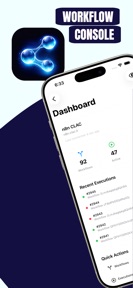


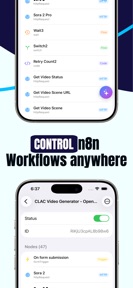


Workflow Console is an iOS companion app for the n8n automation platform, providing a visual canvas for workflow management and execution monitoring.
The App DNA
What makes this app unique?
The app removes the friction of needing a desktop environment to debug or trigger critical automation sequences while mobile.
For n8n automation platform users who need to monitor, debug, and trigger workflows from mobile devices.
What does it look like?
Key features
Drag-and-drop interface for configuring 263+ node types, serving as the primary mobile interface for n8n infrastructure.
GPT-4o and Claude integration for debugging and configuration, acting as a paid-conversion lever for advanced troubleshooting.
Real-time tracking of workflow status on the Lock Screen, increasing the engagement window for long-running tasks.
How much does it cost?
The freemium model uses one-time purchases to gate AI features and remove ads, avoiding recurring subscription friction.
Velocity
Maintenance developmentUX improvementsShow more...
The app is currently in a maintenance phase, having shipped only one release in the last 162 days. Development activity is minimal, with the most recent update providing minor adjustments to privacy settings rather than new features. There is no evidence of active development or a regular release schedule, indicating a long-term period of stagnation.
Who built it?
User Sentiment
What do users think recently?
How are ratings & reviews evolving?
Not enough recent reviews to extract reliable themes yet.
Read the full review analysisCompetition
Competitive landscape for Workflow Console
How's the Productivity market?
Workflow Console operates as a specialized productivity tool for n8n users, with no current public chart ranking data available.
The rivals identified
The Analyst's Read
Key takeaways for Workflow Console
Where is it heading?
The market for n8n-specific mobile tools remains narrow, and Workflow Console is currently the primary option for power users. Sustained relevance requires moving beyond maintenance to integrate with deeper iOS system capabilities.
- The five-month release gap indicates a maintenance-only cadence, which risks feature drift as the n8n platform continues to evolve.
The SWOT
- Visual canvas supports 263+ node types
- Keychain-backed credential management ensures security
- Native iOS Shortcuts integration expands trigger surface
Next best moves
Ship native iOS Shortcuts integration because it expands the automation trigger surface → increase daily active usage
The counter-intuitive read
The lack of a subscription model is a weakness, not a strength…
Read the full takeSince the last report: The product roadmap has pivoted from AI-centric auditing to native iOS Shortcuts integration, while the SWOT analysis has been updated to reflect specific security strengths and visibility weaknesses.
Bottom line
Workflow Console provides a necessary mobile bridge for n8n users, but the five-month release gap suggests a maintenance posture that leaves the tool vulnerable to platform-level updates.
Unlock 2 critical frictions, 1 market threat and the analyst’s take.
Access the full report for freeFAQ
Is Workflow Console free to use?
Do I need an n8n account to use Workflow Console?
Does Workflow Console support AI debugging?
Sources
- [1] App Store listing
Report last updated