


HiThink
For professionals, students, and remote workers requiring portable document digitization and collaborative office tools.
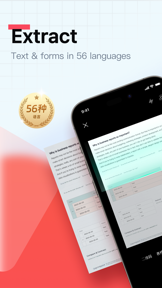
 ScannerHD Pro - PDF Scan


Snapshot
Who is HiThink?
Providing mobile document management and OCR tools for professionals and students. Enabling efficient digitization of physical paperwork.
Target audience


Portfolio
Free 2Last updated

ScannerHD Pro - PDF Scan
v2.2.5
2.8y ago
Publisher DNA
What defines HiThink?
Publisher DNA
Primary focus
Mobile document scanning and productivity utilities
Scale
indie
Target audience
Professionals, students, and remote workers requiring portable document digitization and collaborative office tools.
Signature Patterns
- •Core reliance on OCR text recognition technology
- •Integration with cloud synchronization and storage services
- •Hybrid monetization strategy utilizing both paid and freemium models
- •Focus on professional document editing and management features
Portfolio momentum
Released 7 updates across 3 apps in the last 6 months, indicating active maintenance and development cycles.
Portfolio
What does HiThink ship?
Apps
3 apps analysed

- Image-to-Excel conversion provides a specialized utility for business-focused users.

Single-market publisher, every app ships only to United States.
Based on 1 of 3 apps with localized market data, more coverage rolling in as scans complete · last scanned .
Americas (1)
- United States1 / 1
Core markets (1/1 apps)
Rivals
Who does HiThink compete with?
The rivals identified
Nemeses(1)

This app is a direct threat due to its massive install base and high review volume, which creates a significant barrier to entry for new users in the productivity category.
Contenders(4)


While focused on business assets, its robust QR and scanning features overlap with our utility-focused user base.


Competes for the enterprise productivity segment by offering advanced document annotation and faxing capabilities.


A long-standing competitor that competes directly on OCR accuracy and specialized scanning technology.


A high-velocity competitor that is rapidly iterating on document enhancement and compression features.
Same space(22)


Adobe Scan competes for the same professional audience by offering advanced AI-driven image processing and deep integration with the Adobe Document Cloud.


PDF Master offers a multi-format viewing experience that complements the scanning utility of ScannerHD Pro.


PDF Zone serves as a document hub for users who need to manage various office formats in a single interface.


PDF File Pro acts as a versatile document companion for users who need to share files quickly while traveling.


Users report: While a database tool, it competes for the same 'productivity power user' who needs advanced data capture.


PDF Reader&Editor targets the professional workflow by adding e-signing and form-filling capabilities to the standard document viewing experience.


PDF Reader functions as a complementary utility for users who need to view and manage the files generated by ScannerHD Pro.


PDF X provides a comprehensive management layer for users to organize and delete files directly within the application.


Tiny PDF focuses on lightweight performance for users who need to view business documents without the overhead of larger suites.


Targets the same productivity-focused user base but emphasizes document modification over initial capture.


This app acts as a post-scan editor for users who require annotation capabilities beyond the basic digitization provided by ScannerHD Pro.


Clear Scan provides a lightweight, high-speed alternative for users who prioritize rapid digitization over the cloud-heavy features of ScannerHD Pro.


Users report: Docutain captures the privacy-conscious home-office user by providing on-device OCR and desktop synchronization that ScannerHD Pro lacks.


Fast PDF Reader provides a high-performance viewing experience for users who need to quickly access documents scanned by ScannerHD Pro.


PDF Kit organizes scanned documents automatically, providing a library-style management layer for users with large document collections.


All Document Reader serves as a central hub for users who need to manage diverse office file formats alongside their scanned PDFs.


Provides a specific utility that overlaps with our conversion features, appealing to users needing format flexibility.


Smooth PDF provides a streamlined reading experience for users who find other PDF viewers too complex or clunky.


TapScanner serves as a broader document toolkit that coexists with ScannerHD Pro by adding file manipulation features like splitting and merging.


Genius Scan targets the same professional segment but differentiates through a long-standing reputation for ad-free performance and biometric security.


Simple Scan competes for the same mobile-first professional audience by offering specialized legacy business features like faxing.


Fun PDF offers a mobile-optimized rendering engine that improves the reading experience for long documents scanned on the go.
New entrants(3)


PDF Hive serves as an office document hub that streamlines the handling of both scanned PDFs and standard office files.


A new entrant attempting to capture market share through a focus on speed and multi-page efficiency.


A specialized newcomer that introduces high-end capture technology, potentially disrupting the professional scanning niche.
The Analyst's Read
The bottom line on HiThink
Bottom line
HiThink maintains a focused, high-utility portfolio that effectively serves the document management niche. Their ability to maintain a high weighted rating across their primary scanner apps suggests strong product-market fit for their core productivity feature set.
Frequently asked questions
How many apps does HiThink publish?
What kind of apps does HiThink make?
What is HiThink's top app?
In how many countries are HiThink's apps available?
What fed this analysis
- Apps analyzed:
- 3
- With full intel:
- 0
- With overview:
- 3
- Website scraped:
- yes
- Social presence:
- no
