


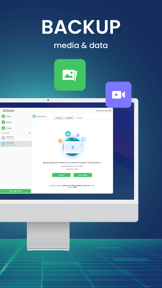
AirDroid is a cross-platform device management app for mobile and desktop, providing file transfer, remote control, and screen mirroring.
The App DNA
What makes this app unique?
Users rely on AirDroid to bridge the gap between mobile and computer hardware, displacing the need for fragmented, native sync tools that lack cross-device control.
For Individuals seeking cross-platform device management and businesses requiring remote IT support and MDM solutions.
What does it look like?
Key features
Direct control of Android devices from a computer without requiring root access.
Transfer files between mobile and computer with speeds up to 20Mb/s.
Lockdown software for Android devices to specific applications for business use.
How much does it cost?
Freemium model segments users into personal productivity and enterprise MDM tiers, with business features gated by subscription.
Velocity
Maintenance developmentShow more...
5 versions in history. Development pace: maintenance.
Who built it?
SAND STUDIO CORPORATION
8 apps tracked · Productivity
 AirDroid Cast-screen mirroring
 Parental Control App: AirDroid
 AirDroid Kids - Screen Time
 AirMirror - Remote Support
 AirDroid Remote Support
 AirDroid Browser - Safe Search
 AirDroid Business
User Sentiment
What do users think recently?
Fresh user feedback skews mixed. Users appreciate cross-platform file transfer functionality provides a reliable alternative to native desktop synchronization tools and intuitive interface design makes complex file management tasks accessible for non-technical mobile users, but report persistent login failures and account authentication errors prevent access to core file transfer features.
How are ratings & reviews evolving?
What users say, by theme
- Cross-platform file transfer functionality provides a reliable alternative to native desktop synchronization tools
- Intuitive interface design makes complex file management tasks accessible for non-technical mobile users
- Persistent login failures and account authentication errors prevent access to core file transfer features
72 of 271 recent reviews analyzed · high confidence · Mixed overall
Read the full review analysisUnlock 1 more frustration theme and 1 user request, each backed by review evidence.
Access the full report for freeCompetition
Competitive landscape for AirDroid - File Transfer&Share
How's the Productivity market?
AirDroid maintains a 4.3-star rating across 1,131 reviews, anchoring its position in the productivity category. The lack of updates for 468 days suggests a focus on maintenance rather than growth, leaving the app vulnerable to rivals with active development cycles.
Read the market outlookThe rivals identified

By SugarSync, Inc.
SugarSync competes directly with AirDroid by offering robust file synchronization and remote management capabilities that target the same productivity-focused user base.
- Offers advanced remote wipe capabilities that provide superior security for sensitive enterprise-grade file management workflows.
- Features automatic file syncing across all devices, reducing manual user intervention compared to AirDroid's manual transfer focus.
 Files.comContender
 ownCloud - File Sync and ShareContender
 Infomaniak SwissTransferContender
 IntralinksContender
Unlock the head-to-head verdict: where this rival wins, and where it loses.
Access the full report for freeThe Analyst's Read
Key takeaways for AirDroid - File Transfer&Share
Where is it heading?
The productivity market is consolidating around cloud-native, frequently updated tools, leaving AirDroid’s stagnant feature set exposed. Without a return to active development, the app will continue to lose ground to rivals like SugarSync that offer more secure, automated workflows.
- The 468-day update gap signals a shift to maintenance mode, which prevents the app from competing with rivals' active feature expansion.
- Persistent login failures and billing complaints in recent reviews erode the user base, compounding the risk of long-term churn.
The SWOT
- Remote Android control without root access provides a distinct utility barrier.
- 20Mb/s transfer speed sustains organic retention for media-heavy workflows.
- Localized interface support for Turkish users could capture an underserved segment.
Next best moves
Audit subscription billing notifications because users report unexpected annual charges → reduce negative sentiment
+ 1 more prioritized moveThe counter-intuitive read
AirDroid’s 468-day update gap is not just a failure of maintenance…
Read the full takeFeature gaps
Automatic cloud-sync (available in SugarSync but absent here) +1
Since the last report: AirDroid has transitioned into a confirmed maintenance-mode state, evidenced by a 468-day update gap that has eroded its competitive standing against active rivals like SugarSync.
Bottom line
The 468-day update gap invalidates the current maintenance-only posture, as the lack of feature parity with agile rivals is eroding the user base. Addressing subscription transparency would unlock immediate sentiment recovery while the team evaluates a return to active development.
Unlock 2 critical frictions, 1 market threat, 1 more prioritized move and the analyst’s take.
Access the full report for freeFAQ
Is AirDroid free to use?
How does AirDroid compare to SugarSync?
Is AirDroid safe to use?
What is a good alternative to AirDroid?
Sources
Report last updated