


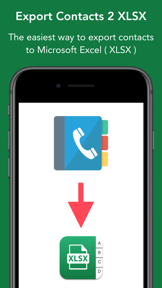


Contacts to XLSX - Excel Sheet is a productivity utility for iOS that exports address book contacts into Excel-compatible XLSX files.
The App DNA
What makes this app unique?
The app removes the manual friction of migrating large contact lists, serving users who need to move data into spreadsheet software for professional management.
For Professionals and individuals needing to back up, manage, or migrate large contact lists into spreadsheet-compatible formats.
What does it look like?
Key features
Converts address book contacts into clean, organized XLSX files compatible with Excel.
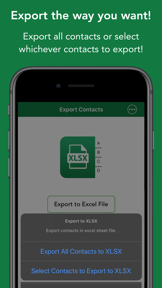
Allows users to handpick specific entries or export the entire address book at once.
Capable of exporting 50,000+ contacts in seconds for Pro users.
How much does it cost?
The 100-contact limit acts as a hard conversion gate for professional users.
Velocity
Steady developmentShow more...
Who built it?
Dropouts Technologies LLP
13+ apps tracked · Business
 Stop Scrolling Social Media
 Drunk Lock - Unlock Apps Sober
 Easy Unzip / Zip Files
 Check My Device : 40+ Tests
 Air Share: Backup or Copy Data
 Heart Words: AI Wishes/Status
 Predator Clock : Alarm Clock
 Blaze Video Downloader & Split
 Best Shayaris : Only the best selected shayaris !
 Super Backup & Storage Cleaner
 PDF to Photos - JPG / PNG
 Contacts to Excel , PDF , CSV
User Sentiment
What do users think recently?
How are ratings & reviews evolving?
Not enough recent reviews to extract reliable themes yet.
Read the full review analysisCompetition
Competitive landscape for Contacts to XLSX - Excel Sheet
How's the Business market?
Contacts to XLSX - Excel Sheet operates in the Business category, competing against broader migration tools. The app's focus on a single, high-speed utility provides a clear alternative to the complex setup requirements of first-party device migration suites.
The rivals identified

By Samsung Electronics Co., Ltd.
This app competes by offering comprehensive data migration services, including contact management, which overlaps with this app's core utility of address book extraction.
- Massive ecosystem integration allows seamless data transfer between iOS and Samsung hardware devices
- Provides a full-suite migration tool rather than a single-purpose contact export utility
 PrinterShare PremiumContender
 WPD Reader - for WordPerfectContender
 PDFMaker: JPG to PDF converterContender
 Save2PDF for iPhoneContender
Unlock the head-to-head verdict: where this rival wins, and where it loses.
Access the full report for freeThe Analyst's Read
Key takeaways for Contacts to XLSX - Excel Sheet
Where is it heading?
The market for specialized data-migration tools is consolidating, with hardware manufacturers increasingly bundling these features into their own ecosystems. Contacts to XLSX - Excel Sheet must double down on its speed and simplicity to remain relevant to users who prioritize a lightweight, focused experience over full-suite migration.
- The app maintains a stable, single-purpose utility, avoiding the feature creep that often degrades performance in broader document-management tools.
- First-party migration tools from hardware manufacturers continue to integrate contact management, which may erode the addressable market for single-purpose extraction utilities.
The SWOT
- High-volume processing (50,000+ contacts) enables rapid data extraction
- Lightweight, single-purpose design avoids complex setup requirements
- Localized pricing could capture high-ARPU markets requiring professional data management
Next best moves
A/B test the free-tier contact limit because the 100-contact cap is a hard conversion gate → increase top-of-funnel conversion.
+ 1 more prioritized moveThe counter-intuitive read
The app's lack of full-device migration features is a strength…
Read the full takeFeature gaps
OCR technology (available in PDFMaker but absent here) +1
Since the last report: The app transitioned from a passive niche utility to an active growth-focused product, prioritizing cloud-sync integration to address retention gaps. This shift marks a departure from the previous strategy of simply maintaining single-purpose functionality.
Bottom line
Contacts to XLSX - Excel Sheet excels as a high-speed extraction tool, but the current free-tier limit restricts its reach to only the most data-heavy users. Pivoting the conversion strategy would unlock a broader professional user base.
Unlock 2 critical frictions, 1 market threat, 1 more prioritized move and the analyst’s take.
Access the full report for freeFAQ
Is Contacts to XLSX - Excel Sheet suitable for casual users?
How does this compare to Samsung Smart Switch?
What are the limitations of the free version?
Are there free alternatives for contact exporting?
Sources
- [1] App Store, source
Report last updated