


Epson Creative Projection
By Seiko Epson

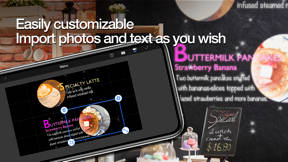
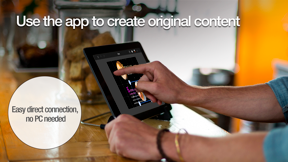
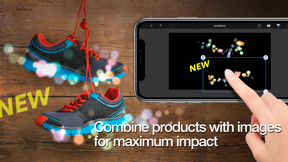
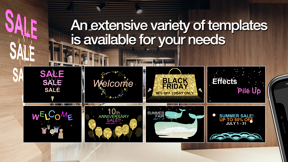
Epson Creative Projection is a mobile utility for Epson projector owners to create and project custom decorative content onto physical spaces.
The App DNA
What makes this app unique?
It removes the technical friction of mapping content to irregular surfaces by providing built-in templates and geometry correction tools.
For Users of Epson projectors looking to create custom, decorative, or professional display content for rooms and product spaces.
What does it look like?
Key features
Adjusts corners to correct distortion across multiple surfaces.
Adds animated elements like snow or blossoms that accumulate on user-defined lines.
Simplifies connection between mobile devices and projectors.
How much does it cost?
The app functions as a free utility to support the sale and usage of Epson projector hardware.
Velocity
Dormant developmentopaqueShow more...
Epson Creative Projection has entered a zombie state, with no updates released in the last 348 days. The development history shows only a single minor release within the observed window, indicating a complete lack of active maintenance or feature development. Given the significant duration since the last update, there is no evidence of ongoing support for the platform.
Who built it?
Seiko Epson
13+ apps tracked · Entertainment
 Epson Creative Print
 Epson Smart Panel
 Epson TM Print Assistant
 Epson Pocket Document
 Epson iPrint
 Epson Projector Config Tool
 Epson iProjection
 Epson Printer Finder
 Epson FastFoto
 Epson Smart Panel
 Epson DocumentScan
 Epson Print Layout
User Sentiment
What do users think recently?
Fresh user feedback skews mixed. Users appreciate the initial feature set provides a functional foundation for users exploring the current projection tools.
How are ratings & reviews evolving?
What users say, by theme
- The initial feature set provides a functional foundation for users exploring the current projection tools
- Lack of advanced mask and shape manipulation tools limits the utility for professional projection workflows
1 of 1 recent reviews analyzed · limited sample
Read the full review analysisUnlock 1 more frustration theme and 1 user request, each backed by review evidence.
Access the full report for freeCompetition
Competitive landscape for Epson Creative Projection
How's the Entertainment market?
Epson Creative Projection functions as a hardware-exclusive utility with a 4.3-star rating based on a limited sample. The lack of updates for 11 months signals a maintenance-only posture relative to the broader projection software market.
Read the market outlookThe rivals identified
Unlock the deeper market read.
Access the full report for freeThe Analyst's Read
Key takeaways for Epson Creative Projection
Where is it heading?
The market for spatial projection is shifting toward more flexible, software-agnostic tools. Epson Creative Projection remains a functional entry-level utility, but the lack of active feature investment leaves it vulnerable to more agile, third-party projection software that offers advanced masking and edge control.
- The 11-month update gap indicates a lack of active feature investment, which prevents the app from addressing professional user requests.
The SWOT
- 4-point geometry correction enables multi-surface projection
- Visual effects engine drives seasonal repeat-use
- Implementing custom mask imports captures professional segment
Next best moves
Ship custom mask import support because it is the top-requested feature for professional workflows → increase user retention
The counter-intuitive read
The app's maintenance-mode status is a strategic choice…
Read the full takeBottom line
Maintaining the current feature set risks losing the professional segment to more flexible software alternatives, so pivoting to include custom mask imports would unlock higher-fidelity use cases for Epson projector owners.
Unlock 2 critical frictions, 1 market threat and the analyst’s take.
Access the full report for freeFAQ
Is Epson Creative Projection compatible with all projectors?
Does Epson Creative Projection support custom image masks?
Is there a paid version of Epson Creative Projection?
Sources
- [1] App Store
Report last updated