


Seiko Epson
For home office users, small business owners, and professional AV installers requiring remote management of Epson hardware.
 Epson iPrint








Snapshot
Who is Seiko Epson?
Streamlining document management and hardware configuration for Epson printer and projector users. Providing mobile-first utility for home, office, and professional AV environments.
Target audience


Portfolio
Free 16Last updated

Epson iPrint
v7.14.0
8mo ago
Publisher DNA
What defines Seiko Epson?
Publisher DNA
Primary focus
Hardware-integrated utility apps for printing and projection
Scale
indie
Target audience
Home office users, small business owners, and professional AV installers requiring remote management of Epson hardware.
Signature Patterns
- •Strictly free-to-use utility model with no in-app purchases or subscriptions.
- •Primary focus on wireless hardware configuration and remote document management.
- •High-utility, low-frequency usage patterns centered around hardware maintenance.
- •Cross-platform support for both productivity (projectors) and photo/video (printers) workflows.
Portfolio momentum
Released 3 updates across 4 apps in the last 6 months, maintaining a consistent cadence for their core utility suite.
Portfolio
What does Seiko Epson ship?
Apps
16 apps analysed

Analysis in progress

Visual effects engine drives seasonal repeat-use
- The initial feature set provides a functional foundation for users exploring the current projection tools
- Lack of advanced mask and shape manipulation tools limits the utility for professional projection workflows

- High quality print output provides reliable document results for users who successfully complete the setup
- Persistent Wi-Fi connection drops force users to re-scan for devices during every single document session

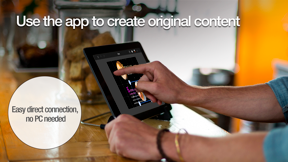
- Hardware-integrated Wi-Fi scanning removes PC dependency


Manual IP configuration supports enterprise network penetration
- Effortless wireless printing functionality across multiple devices provides significant utility for small business owners
- Recurring connectivity failures between mobile devices and printers disrupt the printing workflow post-update
Distributed across 19 markets, strongest in Europe.
Based on 6 of 16 apps with localized market data, more coverage rolling in as scans complete · last scanned .
Americas (4)
- United States6 / 6
- Brazil3 / 6
- Mexico3 / 6
- Canada1 / 6
Europe (9)
- France5 / 6
- Germany4 / 6
- Italy4 / 6
- Netherlands4 / 6
- Portugal4 / 6
›+4 more europe markets
- Spain4 / 6
- Sweden2 / 6
- Turkey1 / 6
- United Kingdom1 / 6
Asia-Pacific (6)
- Japan6 / 6
- South Korea3 / 6
- India1 / 6
- Indonesia1 / 6
- Singapore1 / 6
›+1 more asia-pacific market
- Vietnam1 / 6
Core markets (6/6 apps)
User Sentiment
How do users feel about their apps?
1
Positive apps
3
Neutral / mixed
1
Negative apps
52/100
Avg sentiment score

Unlock the app dragging this portfolio down.
Access the full report for freeRivals
Who does Seiko Epson compete with?
The rivals identified
Nemeses(1)


Both apps function as mobile-to-printer interfaces for their respective hardware brands, competing for home and small business users who require mobile-based print management.
Contenders(10)


This app targets the same mobile document management audience by bundling printing with PDF tools and printable templates.


Both applications target mobile users requiring document and photo printing, creating direct competition for the same mobile-to-printer workflow.


High-velocity release schedule and massive user base make it a significant threat in the printer utility category.


Strong utility-focused design that prioritizes quick access to common printing and scanning tasks.


Both applications target mobile users requiring document and photo printing workflows, competing for the same user base seeking to manage print jobs from mobile devices.


Both applications target mobile users seeking to print documents and photos, creating direct competition for the same mobile printing workflow. The rival attempts to capture the same audience by offering a broad utility suite for printing from iPhone and iPad devices.


Both apps function as mobile command centers for specific printer hardware, competing for the same user base of home and office owners who require mobile setup and document management.


Both applications target printer owners requiring mobile wireless configuration, competing directly for the initial hardware-onboarding experience.


Both applications target mobile users managing document workflows and hardware printing, creating direct competition for the primary mobile interface for home office tasks.


Both applications function as mobile configuration utilities for wireless printing hardware, targeting users who manage device connectivity and settings via Bluetooth or network protocols.
Same space(30)


This app competes for the same mobile-first document management audience by offering broad printer compatibility that exceeds the source app's limited device list.


This utility targets the same remote professional demographic by integrating cloud storage services directly into the mobile printing and scanning workflow.


This app provides a similar mobile-first scanning and printing experience for users who prioritize AirPrint-enabled hardware over manufacturer-specific utilities.


Dominates the document scanning sub-niche, serving as a functional alternative for users prioritizing scan quality over printing.


This utility focuses on a simplified printing workflow, providing a lightweight alternative for users who find the source app's maintenance features unnecessary.


This app functions as a PC-free bridge for Android users, offering a similar utility-focused approach to wireless document output as the source app.


This utility provides a similar mobile-first printing experience for users with AirPrint-compatible hardware, focusing on speed and simplicity.


This app offers a similar all-in-one printing and scanning experience, positioning itself as a general-purpose utility for mobile document management.


This app provides a generic mobile printing interface for compatible hardware, functioning as a lightweight alternative for users who do not require full device maintenance tools.


Provides a robust alternative for file management and sharing, competing for the user's document-handling time.


Focuses on thermal receipt hardware rather than the consumer document workflows prioritized by Epson Smart Panel.


Serves as a universal alternative for users who find Epson's proprietary firmware constraints restrictive.


This app functions as an all-in-one productivity tool, offering document creation and conversion features that extend beyond the source app's maintenance focus.


Provides a broad document management and printing suite for users who need tools beyond basic hardware maintenance.


This utility competes by offering universal printer support and advanced print settings for users who require more control than the source app provides.


Acts as a central hub for document storage, often replacing the need for local printing apps by enabling cloud-based workflows.


This app targets the same document-heavy user base but differentiates through a paid model and support for a vast array of enterprise printer brands.


Provides a driverless printing alternative for users who reject Epson's hardware-locked firmware updates.


This app provides a lightweight scanning and printing station for users who need to quickly digitize and output physical documents.


Provides a general-purpose printing and scanning utility for users who require support for over 7,000 printer models.


This app attempts to bundle document management with printing, creating a more feature-rich but higher-friction alternative to the source app's maintenance-only focus.


Targets users seeking a generic wireless printing solution to avoid the driver-related friction of manufacturer-specific apps.


Simplifies the connection process for users who find Epson's guided setup too restrictive or hardware-specific.


This utility serves as a general-purpose printing bridge for iOS users, offering cloud integration that complements the source app's local device management.


This utility offers a universal printing approach that bypasses the source app's hardware-specific limitations for Android users.


This app combines printing with scanning capabilities, offering a similar feature set to the source app but with a focus on ease of use.


This utility serves as a proprietary configuration bridge for Star Micronics POS hardware, mirroring the hardware-specific support model of the source app.


Targets users seeking generic wireless printing without the hardware-specific setup required by Epson Smart Panel.


This app provides a broad-compatibility alternative for users who own multiple printer brands and want to consolidate their printing tasks into one mobile utility.


This utility provides a consolidated mobile printing and scanning experience, targeting users who want to manage all document tasks in one place.
New entrants(3)


This app serves as a private, ad-free utility for AirPrint users, offering a security-focused alternative to the source app's broader maintenance suite.


This utility provides a high-compatibility printing and scanning solution, targeting users who prioritize broad hardware support over manufacturer-specific apps.


Emerging player focusing on simplifying AirPrint connectivity for non-technical users.
The Analyst's Read
The bottom line on Seiko Epson
Bottom line
Epson successfully uses mobile apps as a retention and support tool for their hardware business, achieving high user satisfaction through functional, no-nonsense utility. Their strategy is clearly aligned with hardware ecosystem lock-in rather than independent app monetization.
Frequently asked questions
How many apps does Seiko Epson publish?
What kind of apps does Seiko Epson make?
What is Seiko Epson's top app?
In how many countries are Seiko Epson's apps available?
What fed this analysis
- Apps analyzed:
- 4
- With full intel:
- 1
- With overview:
- 4
- Website scraped:
- yes
- Social presence:
- yes
