




Microsoft SwiftKey AI Keyboard is a personalized, AI-powered keyboard for iOS and Android that offers predictive text, themes, and Copilot integration.
The App DNA
What makes this app unique?
The app removes the cognitive friction of manual text entry by learning individual slang and typing patterns, which anchors users into the Microsoft productivity environment.
For Mobile users seeking personalized, AI-assisted typing and integration with Microsoft productivity tools.
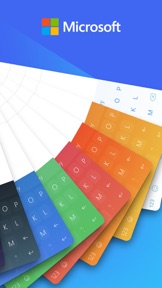
What does it look like?
Key features
Direct access to Microsoft Copilot within the keyboard interface for text generation and queries.
Syncs copied text across mobile and Windows devices via Microsoft account.
Learns individual slang, nicknames, and typing patterns to suggest next words.
How much does it cost?
The app operates as a free utility to drive user adoption of the broader Microsoft ecosystem and AI services.
Velocity
Maintenance developmentperformanceopaqueShow more...
Microsoft SwiftKey AI Keyboard currently operates on a maintenance cadence, with 4 releases identified over the observed window. The development team focuses exclusively on general improvements and stability, with no new features or seasonal content noted in the release history. The cadence is stable but slow, with the latest release occurring 79 days ago. Given the lack of feature-driven updates, the app appears to be in a long-term support cycle.
Who built it?
SwiftKey
3 apps tracked · Utilities
 Microsoft SwiftKey Beta
 Microsoft SwiftKey AI Keyboard
User Sentiment
What do users think recently?
Review voice lately leans mixed. Users appreciate predictive text and auto-correction algorithms significantly reduce typing effort for long-term power users and extensive theme customization and vibration settings allow users to tailor the interface to their preferences, but report keyboard crashes and unexpected reverts to the system default keyboard disrupt the typing experience.
How are ratings & reviews evolving?
Weekly average review rating
What users say, by theme
- Predictive text and auto-correction algorithms significantly reduce typing effort for long-term power users
- Extensive theme customization and vibration settings allow users to tailor the interface to their preferences
- Clipboard management features provide a reliable way to handle repeated text snippets across different apps
- Keyboard crashes and unexpected reverts to the system default keyboard disrupt the typing experience
120 of 7578 recent reviews analyzed · high confidence · Mixed overall
Read the full review analysisUnlock 2 more frustration themes and 3 user requests, each backed by review evidence.
Access the full report for freeCompetition
Competitive landscape for Microsoft SwiftKey AI Keyboard
How's the Utilities market?
SwiftKey holds a #80 Free position in the US personalization category, with a rating of 4.59 on iOS across 119,779 reviews. The volatility in global personalization rankings suggests the app is struggling to maintain its discovery advantage against aesthetic-focused rivals.
Read the market outlookThe rivals identified

By Hemant Patel
This app competes directly for the same screen real estate as SwiftKey, targeting users who prioritize aesthetic customization and font variety over productivity-focused AI features.
- Offers a specialized library of decorative fonts that SwiftKey lacks in its core keyboard experience.
- Provides a photo decorator tool for custom keyboard backgrounds, appealing to users seeking high visual personalization.
 PlayKeyboard - Fonts, EmojiContender
 Text Fonts, Emojis & SymbolsContender
 Fonts Keyboard for iPhone,iPadContender
 Simeji ProContender
Unlock the head-to-head verdict: where this rival wins, and where it loses.
Access the full report for freeThe Analyst's Read
Key takeaways for Microsoft SwiftKey AI Keyboard
Where is it heading?
The market for mobile keyboards is consolidating around aesthetic-first tools that prioritize simplicity over complex AI integration. SwiftKey's maintenance-mode cadence leaves it exposed: unless the team resolves the persistent stability regressions, the churn of legacy power users will accelerate through Q3.
- Frequent keyboard crashes and reverts to system default disrupt the typing experience, which erodes the daily active habit and compounds rating drag.
- Aggressive integration of AI features and mandatory account sign-ins frustrate users, driving them to switch to simpler, non-AI alternatives.
The SWOT
- System-level Android integration replaces default assistant on hardware-mapped triggers
- 21-language number-learning library functions as a distribution barrier into international markets
- Localized regional keyboard layouts like Jatiyo Bangla remain untapped despite user requests
- Dedicated swipe-typing undo button would reduce manual correction effort for power users
Next best moves
Audit keyboard process stability because frequent crashes are the top-reported barrier to daily usage → reduce churn of legacy power users
+ 1 more prioritized moveThe counter-intuitive read
The 'AI-first' keyboard strategy is a liability…
Read the full takeFeature gaps
Specialized decorative font library (available in Fonts Keyboard Themes & Emoji but absent here) +1
Since the last report: Development cadence slowed to one release every 79 days, marking a transition to long-term maintenance, while user sentiment improved from negative to mixed despite ongoing stability complaints.
Bottom line
Prioritizing stability in the next release would address the crash-driven churn of legacy users, protecting the retention anchor that the AI Copilot integration is meant to defend.
Unlock 2 critical frictions, 2 market threats, 1 more prioritized move and the analyst’s take.
Access the full report for freeFAQ
Is Microsoft SwiftKey AI Keyboard free to use?
How does SwiftKey compare to Fonts Keyboard?
Does SwiftKey require an account to use?
What is a good alternative if I want a simpler keyboard?
Sources
Report last updated