


Oda Scanner: Docs to PDF, OCR
By YU HENG LIN


Oda Scanner: Docs to PDF, OCR is a document scanning and OCR utility for iPhone that creates searchable, selectable PDFs entirely on-device.
The App DNA
What makes this app unique?
The app removes the privacy friction of cloud-based document processing, serving users who require local, searchable record-keeping for sensitive files.
For iPhone users who require secure, offline document scanning and searchable PDF creation for personal or professional record-keeping.
What does it look like?
Key features
Uses Apple Vision framework to generate a searchable, selectable text layer within PDFs entirely on the device.
Indexes document content to allow keyword searching across the entire library, bypassing filename limitations.
Captures multiple images to compile into a single PDF document.
How much does it cost?
Freemium model uses strict usage caps on multi-page scanning and library size to drive conversion to a one-time or yearly payment.
Velocity
Maintenance developmentopaqueShow more...
The app maintains a maintenance-level cadence, with only one release shipped in the last 45 days. Development activity is currently limited to the initial launch version, providing no evidence of ongoing feature expansion or live operations. At this pace, the app remains in a stable, post-release state without significant updates to its core functionality.
Who built it?
User Sentiment
What do users think recently?
How are ratings & reviews evolving?
Not enough recent reviews to extract reliable themes yet.
Read the full review analysisCompetition
Competitive landscape for Oda Scanner: Docs to PDF, OCR
How's the Business market?
Oda Scanner: Docs to PDF, OCR occupies the privacy-focused segment of the Business category, relying on its offline-first architecture to differentiate from cloud-dependent incumbents. The lack of a backend server creates a distinct, albeit narrow, value proposition for security-conscious users.
Read the market outlookThe rivals identified
Unlock the deeper market read.
Access the full report for freeThe Analyst's Read
Key takeaways for Oda Scanner: Docs to PDF, OCR
Where is it heading?
Users report: The document scanning market is consolidating around cloud-integrated platforms, but Oda Scanner: Docs to PDF, OCR maintains a stable position by serving the privacy-conscious segment. Continued reliance on a maintenance-only cadence will likely limit growth, but the app remains insulated from the churn risks associated with server-side data breaches.
- Maintenance-only release cadence indicates a stable, low-overhead product strategy rather than active feature expansion.
- Privacy-first architecture aligns with increasing user demand for local data control, providing a long-term competitive advantage.
The SWOT
- On-device OCR via Apple Vision enables offline searchability without server dependency.
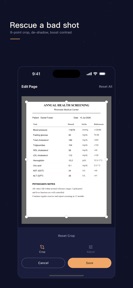
- Non-destructive editing workflow allows users to revert crops or permanently redact sensitive data.
- Privacy-first architecture with optional iCloud backup supports Advanced Data Protection.
- Expansion into automated document categorization could increase utility for power users.
Next best moves
Increase free library limit from five to twenty documents because the current cap prevents users from testing the search utility → increase conversion
The counter-intuitive read
The app's lack of cloud sync is a feature, not a bug…
Read the full takeBottom line
Oda Scanner: Docs to PDF, OCR defends a privacy-focused niche, but the restrictive five-document free limit likely caps the top-of-funnel conversion rate. Expanding the free library size would allow users to test the search utility, which is the primary retention mechanism.
Unlock 2 critical frictions, 1 market threat and the analyst’s take.
Access the full report for freeFAQ
Is Oda Scanner: Docs to PDF, OCR safe for sensitive documents?
Does Oda Scanner: Docs to PDF, OCR work without an internet connection?
How does Oda Scanner: Docs to PDF, OCR compare to cloud-based scanners?
What happens to my documents if I delete the app?
Sources
- [1] App Store
Report last updated