



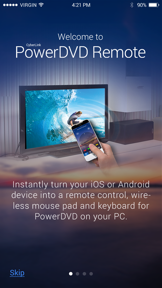


PowerDVD Remote is a utility app for iOS and Android that turns mobile devices into remote controls and trackpads for CyberLink PowerDVD PC software.
The App DNA
What makes this app unique?
Users hire this app to manage home-theater media playback from their couch, removing the need for a physical mouse or keyboard during movie sessions.
For Users of the PowerDVD retail software who want to control their PC media playback from a mobile device.
What does it look like?
Key features
Transforms iOS devices into a wireless remote for PowerDVD playback on PC
Sends and saves photos and videos from mobile devices to PC via Wi-Fi
How much does it cost?
The app functions as a free companion utility to drive usage of the paid retail PC software.
Velocity
Steady developmentShow more...
Who built it?
CyberLink
11 apps tracked · Utilities
 MyEdit: AI Photo Generator
 PowerDirector: AI Video Editor
 PhotoDirector: AI Photo Editor
 PowerDirector- AI Video Editor
 Promeo - AI Marketing Studio
 Vivid Glam Video/Photo Retouch
 U Meeting, Messenger, Webinar
 U Scanner - Photo to PDF
 PhotoDirector - Photo Editor
 CyberLink PowerPlayer
User Sentiment
What do users think recently?
Review voice lately leans mixed. Users appreciate fast connection and reliable remote control functionality for dvd playback on mobile devices, but report connection failures between the mobile application and the desktop software post-update.
How are ratings & reviews evolving?
What users say, by theme
- Fast connection and reliable remote control functionality for DVD playback on mobile devices
- Connection failures between the mobile application and the desktop software post-update
66 of 66 recent reviews analyzed · high confidence · Mixed overall
Read the full review analysisUnlock 1 user request, each backed by review evidence.
Access the full report for freeCompetition
Competitive landscape for PowerDVD Remote App
How's the Utilities market?
The app maintains a niche utility position, but the 1.78 Android rating indicates that technical instability is eroding its core value proposition for the PowerDVD user base.
Read the market outlookThe rivals identified

By Monect (Suzhou) Co., Ltd.
With over 54,000 reviews and consistent updates, this app serves the exact same remote-control utility niche as PowerDVD Remote.
- Provides a comprehensive suite of virtual game controllers and sensor-based inputs for PC gaming
- Supports multi-screen projection and file transfer capabilities beyond simple media playback control
- Maintains a high release velocity with two updates in the last six months


Unlock the head-to-head verdict: where this rival wins, and where it loses.
Access the full report for freeThe Analyst's Read
Key takeaways for PowerDVD Remote App
Where is it heading?
The utility remote market is consolidating around high-velocity, general-purpose tools that offer broader OS compatibility. PowerDVD Remote remains exposed to churn because its rigid Wi-Fi dependency and lack of desktop parity fail to meet current user expectations for seamless connectivity.
- Persistent connection failures with newer desktop software releases erode user trust and drive negative sentiment, which compounds the existing rating drag.
- Recent updates focused on stability and bug fixes, indicating the app is in maintenance mode rather than active feature expansion.
The SWOT
- Proprietary integration with PowerDVD retail software
- Specialized media-centric navigation interface
- Implement Bluetooth connectivity to bypass Wi-Fi dependency
- Expand remote control features with dedicated media navigation buttons
Next best moves
Audit connection protocols because pairing failures are the top complaint → improve rating baseline
+ 1 more prioritized moveThe counter-intuitive read
The app's lack of updates is not just a maintenance failure…
Read the full takeFeature gaps
General-purpose PC application control (available in PC Remote but absent here) +1
Since the last report: The app has transitioned from a functional utility to a maintenance-mode product suffering from technical instability and connection failures.
Bottom line
PowerDVD Remote provides essential media control for retail software users, but the current connection instability threatens to alienate the core user base, so the PM must prioritize desktop software compatibility to prevent further churn.
Unlock 3 critical frictions, 2 market threats, 1 more prioritized move and the analyst’s take.
Access the full report for freeFAQ
Does PowerDVD Remote work without Wi-Fi?
Is PowerDVD Remote compatible with the latest PowerDVD version?
What is a good alternative to PowerDVD Remote?
Report last updated