


QR Code Scanner.
 All Video Downloader & Player




Snapshot


Publisher DNA
What defines QR Code Scanner.?
AI intelligence is not yet available for QR Code Scanner.. The portfolio data below is up to date.
Portfolio
What does QR Code Scanner. ship?
Apps
11 apps analysed

Scan docs & photo to PDF easily! Send and share as PDF with ACE Scanner app.


Analysis in progress
HD Video player and downloader for all formats, fast & smooth 4K video playback.


Analysis in progress

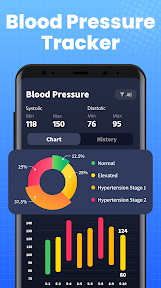
Blood pressure tracker & log. Record readings and track your BP trends.


Analysis in progress

Track blood sugar, analyze glucose trends & get insights to control diabetes.


Analysis in progress

All document reader, all in one file viewer read PDF, DOCX, XLS, PPT, TXT files.


Digital signing feature removes physical workflow friction
- The document signing feature provides significant convenience by removing the need for physical printing and scanning
- Frequent and intrusive advertisements disrupt the user experience and interfere with active document editing tasks
Single-market publisher, every app ships only to United States.
Based on 1 of 11 apps with localized market data, more coverage rolling in as scans complete · last scanned .
Americas (1)
- United States1 / 1
Core markets (1/1 apps)
User Sentiment
How do users feel about their apps?
1
Positive apps
0
Neutral / mixed
0
Negative apps
75/100
Avg sentiment score
Rivals
Who does QR Code Scanner. compete with?
The rivals identified
Nemeses(1)

Both apps target students and professionals needing document management, with CamScanner focusing on physical-to-digital capture while Document Reader & PDF Editor focuses on file-based editing and template creation.
Contenders(10)


Both apps compete for the same mobile document management and PDF editing user base, targeting students and office workers who require frequent file viewing and annotation.


Both apps target the same mobile document management segment, offering overlapping PDF viewing, editing, and electronic signing capabilities to students and office workers.


Both apps target the same productivity-focused mobile user base by offering multi-format document viewing and PDF editing tools. They compete directly for users seeking a single utility to manage, read, and edit office files on mobile devices.


Both apps target students and office workers with overlapping PDF editing and document management features, creating direct competition for mobile productivity workflows.


Both applications target students and office workers by providing overlapping PDF viewing, annotation, and signing tools. They compete directly for the same document management utility market on mobile devices.


Both apps target students and office workers requiring mobile document editing, creating direct competition for users seeking file management and PDF tools.


Both apps target the same productivity demographic by offering multi-format document viewing and PDF management tools on Android.


Both applications target students and office workers with freemium mobile document management, creating direct competition for users seeking all-in-one file viewing and editing.


Both apps compete for the same mobile productivity audience by offering overlapping PDF management and editing tools on a free-to-install model.


Both applications target students and office workers with multi-format file viewing and document management tools, creating direct competition for mobile productivity users.
Same space(1)


This app captures the translation-specific document workflow that falls outside the core viewing and editing scope of the source app.
