


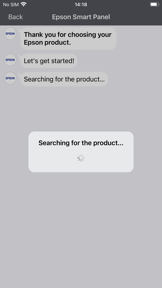
Epson Smart Panel is a mobile utility app for managing Epson wireless printers and scanners on iOS and Android.
The App DNA
What makes this app unique?
Users hire the app to simplify hardware setup and daily document tasks, replacing the need for desktop-based printer management.
For Owners of Epson wireless printers and scanners who require mobile management and setup tools.
What does it look like?
Key features
Configures Epson printers and scanners to local Wi-Fi networks.
Customizable interface tiles for quick access to specific printer or scanner functions.
Automatically detects connected hardware and tailors the app interface.
How much does it cost?
The app functions as a free utility to support hardware sales, with no direct in-app monetization.
Velocity
Maintenance developmentperformanceopaqueShow more...
The app ships approximately 0.22 releases per week, placing it in the maintenance tier. Development is currently focused exclusively on stability and minor bug fixes, with no evidence of new features or live operations. The release cadence has remained stable but limited to maintenance-level updates over the last three months. The publisher consistently uses opaque release notes, providing no insight into specific technical improvements or underlying changes.
Who built it?
Seiko Epson
13+ apps tracked · Photo & Video
 Epson Creative Print
 Epson TM Print Assistant
 Epson Pocket Document
 Epson iPrint
 Epson Projector Config Tool
 Epson iProjection
 Epson Printer Finder
 Epson FastFoto
 Epson Smart Panel
 Epson DocumentScan
 Epson Print Layout
 Epson Creative Projection
User Sentiment
What do users think recently?
The recent review mood reads mixed. Users appreciate simplified mobile printing workflow allows users to manage documents and photos with minimal technical friction, but report unreliable wireless connectivity post-update prevents consistent printer discovery and job submission from mobile devices.
How are ratings & reviews evolving?
What users say, by theme
- Simplified mobile printing workflow allows users to manage documents and photos with minimal technical friction
- Unreliable wireless connectivity post-update prevents consistent printer discovery and job submission from mobile devices
100 of 198 recent reviews analyzed · high confidence · Mixed overall
Read the full review analysisUnlock 1 user request, each backed by review evidence.
Access the full report for freeCompetition
Competitive landscape for Epson Smart Panel
How's the Photo & Video market?
Epson Smart Panel holds the #26 Free position in the US Photo & Video category. The gap between its utility-focused feature set and the broader document-management capabilities of competitors like Adobe Scan signals a risk of being relegated to a secondary hardware-maintenance tool.
Read the market outlookThe rivals identified

By Canon Inc.
Both applications serve as proprietary mobile command centers for their respective printer hardware, competing for the same home-office user base that requires mobile document management and printer maintenance.
- Epson Smart Panel uses Action Tiles to increase daily interaction frequency, while Canon PRINT lacks a comparable engagement-focused dashboard.
- Epson Smart Panel provides an auto-configuration mechanism that tailors the interface to specific hardware, while Canon PRINT relies on a static, unified interface across diverse hardware lines.
 SELPHY Photo LayoutContender
 HP Smart Printer App SetupContender
 Kyocera Printer Setup ToolContender
 Smart Mobile Air Printer ProContender
 Easy-PhotoPrint EditorContender
 Zebra Printer Setup UtilityContender
 Smart Printer : iPrint ScanContender
 Smart Printer App - PrinterContender

Unlock the head-to-head verdict: where this rival wins, and where it loses.
Access the full report for freeThe Analyst's Read
Key takeaways for Epson Smart Panel
Where is it heading?
The printer utility market is consolidating around high-frequency maintenance and cloud-integration, leaving Epson's hardware-centric approach exposed. Unless the team shifts from restrictive firmware enforcement to feature-led updates, the current sentiment decline will accelerate churn to more flexible competitors.
- Connectivity regressions in the latest update erode the daily active habit, which compounds the rating drag already visible on Android.
- The core utility of the auto-configuration mechanism continues to drive high initial satisfaction for non-technical users, maintaining a stable baseline.
The SWOT
- Auto-configuration mechanism tailors interface to specific hardware capabilities
- Action Tiles increase daily interaction frequency
- Guided setup reduces support costs for non-technical users
- Expand B2B partnerships for office-oriented scanning workflows
- Integrate wearable notifications for ink replenishment
Next best moves
Ship granular print-setting overrides because users report auto-correction as a top friction point → increase power-user retention.
+ 2 more prioritized movesThe counter-intuitive read
The app's restrictive firmware updates are not just…
Read the full takeFeature gaps
Real-time cloud-based remote document access (available in Canon PRINT but absent here) +1
Since the last report: The app's competitive position has declined due to connectivity regressions and user pushback against restrictive firmware updates, shifting sentiment from positive to mixed.
Bottom line
Epson Smart Panel succeeds as a hardware-onboarding utility because of its auto-configuration mechanism, but it risks losing power users to restrictive firmware policies, so the PM should prioritize stability and user-controlled print settings to defend the install base.
Unlock 3 critical frictions, 2 market threats, 2 more prioritized moves and the analyst’s take.
Access the full report for freeReport last updated