


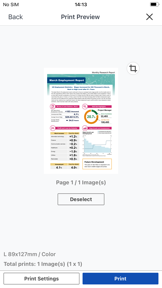


Canon PRINT is a companion utility for Canon inkjet, laser, and photo printers, enabling mobile setup, scanning, and cloud printing on iOS and Android.
The App DNA
What makes this app unique?
The app removes the friction of manual driver installation and document transfer, serving as a primary management tool for home and office hardware users.
For Canon printer owners requiring mobile setup, document scanning, and remote printing capabilities.
What does it look like?
Key features
Enables document and photo output from cloud-based storage services directly to connected printers.
Displays real-time ink or toner status within the app interface for supported printer models.
Provides a unified interface for diverse hardware, including PIXMA, MAXIFY, and imageCLASS lines.
How much does it cost?
The app operates as a free companion utility to drive hardware ecosystem retention and consumable sales.
Velocity
Maintenance developmentperformanceUX improvementsShow more...
Canon PRINT currently operates on a maintenance cadence, shipping approximately 0.06 releases per week. The development trend has decelerated significantly, with the latest release occurring 153 days ago. Recent updates have been limited to generic improvements and printer compatibility additions, with no evidence of new feature development or live operations. The app remains in a stable but stagnant state, focusing exclusively on basic maintenance.
Who built it?
Canon
13+ apps tracked · Photo & Video
 Canon Camera Connect
 Canon PRINT Business
 SELPHY Photo Layout
 Easy-PhotoPrint Editor
 image.canon
 Canon DPP Express
 Content Transfer Professional
 Canon Multi-Camera Control
 Canon Service Tool for PJ
 Live Switcher Mobile
 Canon EOS Multi Remote
 Connect app for Mini PTZ Cam
User Sentiment
What do users think recently?
The recent review mood reads excited. Users appreciate the mobile printing experience provides a convenient and efficient solution for home office document management and setup and initial configuration processes are straightforward for the majority of users after successful installation, but report persistent connectivity failures prevent users from detecting their printers or initiating print jobs from mobile devices.
How are ratings & reviews evolving?
What users say, by theme
- The mobile printing experience provides a convenient and efficient solution for home office document management
- Setup and initial configuration processes are straightforward for the majority of users after successful installation
- Persistent connectivity failures prevent users from detecting their printers or initiating print jobs from mobile devices
60 of 198 recent reviews analyzed · high confidence · Excited overall
Read the full review analysisUnlock 2 more frustration themes and 1 user request, each backed by review evidence.
Access the full report for freeCompetition
Competitive landscape for Canon PRINT
How's the Photo & Video market?
Canon PRINT maintains a consistent presence in the Tools category, though its lack of feature-rich updates compared to Epson iPrint limits its growth potential. The app's reliance on hardware-specific utility rather than broad document management keeps it tethered to Canon's existing user base.
Read the market outlookThe rivals identified

By Seiko Epson Corporation
Directly mirrors this app's utility as a primary companion for a major printer manufacturer with comparable scale and high release velocity.
- Deep integration with Epson's proprietary cloud printing ecosystem creates a high barrier to switching for existing hardware owners.
- Maintains a consistent release cadence of three updates in six months to ensure compatibility with evolving mobile OS standards.
- Provides a comprehensive suite of document management tools that extends beyond simple printing into full-scale mobile office utility.


Unlock the head-to-head verdict: where this rival wins, and where it loses.
Access the full report for freeThe Analyst's Read
Key takeaways for Canon PRINT
Where is it heading?
The printer companion market is consolidating around apps that offer proactive device management and seamless cloud integration. Canon PRINT's current maintenance posture leaves it exposed to rivals like Epson iPrint, which will continue to siphon users through better reliability and broader cloud support.
- Persistent connectivity failures prevent printer detection, which erodes the daily active habit and drives users to more stable third-party utilities.
- The current maintenance-only release cadence leaves the app vulnerable to rivals that rapidly adopt new mobile OS standards.
The SWOT
- Unified interface across diverse hardware lines
- Advanced document formatting features like scaling
Next best moves
Audit connectivity handshake logic because persistent printer detection failures are the #1 churn risk → improve session stability
+ 1 more prioritized moveThe counter-intuitive read
The app's lack of advanced features is not the primary churn driver…
Read the full takeFeature gaps
Advanced document formatting (available in PrintCentral Pro but absent here) +1
Since the last report: Development velocity has decelerated to a 153-day update cycle, while new user complaints regarding paper tray setting retention have emerged as a primary friction point. The app remains in a defensive maintenance posture with no new feature additions.
Bottom line
Addressing connectivity instability is the only way to defend the user base against more responsive rivals. Stabilizing the core printing loop would unlock higher retention, as the current failure rate forces users toward third-party alternatives.
Unlock 2 critical frictions, 2 market threats, 1 more prioritized move and the analyst’s take.
Access the full report for freeFAQ
Is Canon PRINT compatible with all Canon printers?
How does Canon PRINT compare to Epson iPrint?
Does Canon PRINT have intrusive ads?
What is a free alternative for advanced printing?
Sources
- [1] Play Store listing, source
Report last updated