


airSlate
For sMB and enterprise professionals in regulated sectors like healthcare, legal, and finance requiring mobile-first document compliance and digitization.
 Form Filler: fill & sign forms


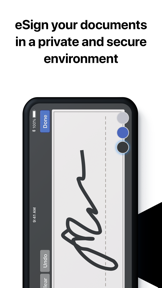


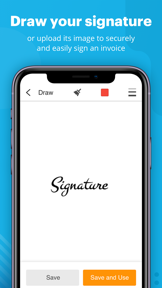


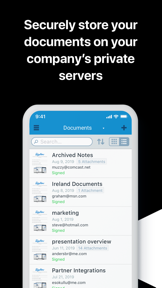


Snapshot
Who is airSlate?
Replacing paper-based workflows with an integrated ecosystem of document editing, e-signature, and no-code automation tools.
Target audience


Portfolio
Free 9Last updated

Form Filler: fill & sign forms
v4.30.0
2y ago
Publisher DNA
What defines airSlate?
Publisher DNA
Primary focus
Document automation and e-signature productivity tools
Scale
indie
Target audience
SMB and enterprise professionals in regulated sectors like healthcare, legal, and finance requiring mobile-first document compliance and digitization.
Signature Patterns
- •Deep integration with major cloud storage providers including Google Drive, Dropbox, and OneDrive
- •Monetization via subscription models featuring 7-day free trials and no hidden overage fees
- •Deployment of specialized tools for niche use cases such as IRS tax form preparation and kiosk-mode signing
- •Consistent use of OCR and text extraction to bridge physical-to-digital document transitions
Portfolio momentum
Maintained high development activity with 19 releases across 8 apps in the last 6 months, with the most recent major update occurring 8 days ago.
Portfolio
What does airSlate ship?
Apps
9 apps analysed


Distributed across 12 markets, strongest in Europe.
Based on 4 of 9 apps with localized market data, more coverage rolling in as scans complete · last scanned .
Americas (3)
- United States4 / 4
- Mexico3 / 4
- Brazil2 / 4
Europe (7)
- France2 / 4
- Italy2 / 4
- Portugal2 / 4
- Spain2 / 4
- Germany1 / 4
›+2 more europe markets
- Netherlands1 / 4
- Sweden1 / 4
Asia-Pacific (2)
- Japan2 / 4
- South Korea1 / 4
Core markets (4/4 apps)
User Sentiment
How do users feel about their apps?
0
Positive apps
1
Neutral / mixed
0
Negative apps
55/100
Avg sentiment score

Rivals
Who does airSlate compete with?
The rivals identified
Nemeses(2)


Both apps target professionals managing document workflows, with Adobe Scan capturing physical assets for digitization while pdfFiller focuses on editing and signing existing digital files.


Docusign competes for the same SMB and enterprise document workflow audience, but its freemium model with unlimited free signing captures the casual user base that SignNow loses due to its subscription-only barrier.
Contenders(19)


Positions itself as an AI-powered alternative for professionals who need to automate document editing and scanning.


Both apps target business professionals and individuals needing mobile document signing and processing, creating direct competition for users seeking efficient document workflows.


Both apps target business professionals and students needing mobile document management, with overlapping utility in document processing and cloud-based workflows.


Both applications target mobile professionals requiring PDF editing and eSigning, creating direct competition for document management workflows.


This app focuses on the signature component of the document workflow, targeting professionals who need authentic handwritten signatures.


Both apps target business professionals and students needing mobile PDF editing and signing, creating direct competition for document management workflows on iOS.


Both applications target business professionals and remote workers requiring mobile document signing, creating direct competition for the same user base.


Both apps target business professionals and students requiring mobile PDF editing and signing, creating direct competition for the same document management workflow.


eSign competes for the same mobile-first document signing audience by offering PDF form-filling and signature capabilities without requiring desktop hardware.


Both apps target business professionals needing mobile document signing, creating direct competition for users who prioritize document management and audit trails on mobile devices.


Both applications target professionals requiring mobile PDF signing, but they diverge on business model and enterprise-grade feature sets. SignNow: e-Signature app focuses on subscription-based enterprise workflows, while the rival offers a free, registration-free utility.

known for Sign by JotNot - fill and sign PDF form or sign PDF document
Both apps target professionals needing mobile PDF signing, but Sign by JotNot captures the casual segment SignNow loses due to its recurring subscription barrier.


Both applications target business professionals and remote workers by providing freemium PDF editing, annotation, and signing tools on iOS devices.


Both apps compete for the same professional and student user base by providing mobile PDF editing, annotation, and form-filling capabilities.


Both apps target the electronic document signing market, with Sign Zone capturing the casual segment that SignNow currently alienates through its high-cost subscription barrier.


Both applications target mobile professionals requiring document signing, but PDF Boost competes by offering a free, multi-functional PDF utility that removes the subscription barrier SignNow imposes on casual users.


Both apps target mobile document signing workflows, but Sign PDF captures the casual user segment that SignNow alienates with its mandatory subscription model.


Both apps target business professionals managing documents on mobile, with pdfFiller focusing on post-capture editing and Genius Scan focusing on the initial digitization phase.


Both apps target business professionals and individuals requiring mobile PDF management, competing directly for users seeking document editing and signing workflows.
Same space(33)


Acts as a free-to-use utility for mobile users who need basic PDF manipulation and signature workflows.


FineReader targets the same professional audience by focusing on high-accuracy document digitization and text extraction.

known for Fill & Sign Documents PDF Scan
This app focuses on the signing and workflow management aspects of the document lifecycle for professional users.


Serves as a mobile utility for users needing to manage file structures and view office documents.


Targets regulated industries requiring high-trust, PKI-based digital signatures that exceed standard e-signature requirements.


PDF Scanner AI serves the same mobile document management audience by providing scanning and text recognition tools.


PDF Pro targets the same professional and student audience by providing specialized tools for form completion and library search.


My Scanner serves the same professional audience by combining document digitization with advanced PDF manipulation tools.


Scan Now provides a mobile-first workflow for digitizing and editing documents, mirroring the core functionality of the source app.


eScan addresses the same document-management needs with a specific focus on local data privacy for professional users.


Serves as a basic, offline-capable tool for users needing to sign and return contracts without cloud dependencies.


Targets users who need to fill and sign forms quickly using smart AI autofill to reduce manual entry.


Appeals to privacy-conscious users who prefer local-only document storage over cloud-based enterprise platforms.


ScanGuru targets the same professional audience by providing an offline-capable scanning and signing suite.


Focuses on quick signature creation and application for users who need to sign documents on the go.


This tool provides a similar mobile scanning and signing workflow for professionals and students.


Provides a lightweight mobile tool for users who need basic e-signature functionality without complex enterprise features.


Docutain targets the same home-office audience by providing high-definition scanning with a focus on data sovereignty.


Targets casual users seeking a simplified signing experience for quick document turnaround.


This app serves the same document-management audience by providing a portable scanning and organization tool.


Provides a secure, local-first solution for professionals handling recurring paperwork and needing offline access.


Targets users requiring offline document security by keeping all files stored locally on the device.


Camera Scanner - PDF targets the same professional and student demographic by offering integrated OCR and document signing.


Serves as a broader office utility that captures users needing file viewing alongside signing.


Provides an all-in-one utility for users needing to view, edit, and sign documents within a single interface.


Offers a mobile-first suite for document conversion that competes for the same casual professional segment.


TapScanner serves the same mobile document management audience by focusing on the initial digitization phase of the document lifecycle.


Targets field service teams and consultants who need to collect intake forms and signatures in person.


This app provides a broad toolkit for PDF manipulation, serving the same document-editing needs as the source app.


This app offers a wide range of conversion and editing tools, serving the same document-management needs as the source.


Tiny Scanner competes for the same document-management audience by providing high-quality scanning that replaces physical desktop hardware.


This app provides a similar mobile scanning and signing workflow for students and office workers.


xScan provides a portable solution for digitizing and managing documents, aligning with the source app's core utility.
New entrants(2)


This app provides a similar document-management workspace by integrating printing and scanning for mobile users.


Targets users needing a pocket scanner that performs all image processing and text recognition offline.
The Analyst's Read
The bottom line on airSlate
Bottom line
airSlate is a highly active developer with a disciplined focus on the document lifecycle. Their ability to maintain high ratings across a specialized portfolio suggests strong product-market fit within the enterprise productivity and document automation niche.
Frequently asked questions
How many apps does airSlate publish?
What kind of apps does airSlate make?
What is airSlate's top app?
In how many countries are airSlate's apps available?
What fed this analysis
- Apps analyzed:
- 8
- With full intel:
- 1
- With overview:
- 8
- Website scraped:
- yes
- Social presence:
- yes
