


FirstOrder.Apps
 Printer App: Print & Scan PDF




Snapshot


Publisher DNA
What defines FirstOrder.Apps?
AI intelligence is not yet available for FirstOrder.Apps. The portfolio data below is up to date.
Portfolio
What does FirstOrder.Apps ship?
Apps
3 apps analysed

Analysis in progress

The IPTV Player enables you to Add M3U/M3U8 file, Watch Live TV & Sync Playlists


Analysis in progress
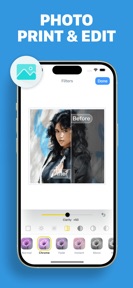
Find your printer, print files and photos, scan to PDF, and edit with ease.


- The core utility of the application provides a straightforward and simple experience for casual users
- Aggressive monetization and subscription prompts appear before users can even test the core functionality
Distributed across 10 markets, strongest in Europe.
Based on 2 of 3 apps with localized market data, more coverage rolling in as scans complete · last scanned .
Americas (3)
- United States2 / 2
- Brazil1 / 2
- Mexico1 / 2
Europe (5)
- France1 / 2
- Germany1 / 2
- Italy1 / 2
- Portugal1 / 2
- Spain1 / 2
Asia-Pacific (2)
- Japan1 / 2
- South Korea1 / 2
Core markets (2/2 apps)
User Sentiment
How do users feel about their apps?
0
Positive apps
0
Neutral / mixed
1
Negative apps
35/100
Avg sentiment score
Rivals
Who does FirstOrder.Apps compete with?
The rivals identified
Nemeses(2)

Both applications target mobile users requiring document printing, with HP Print Service Plugin providing native Android print framework integration while Printer App: Print & Scan PDF offers a hardware-agnostic cloud printing solution.


Both apps target the same iOS user base by providing free, AirPrint-compatible scanning and printing solutions for documents and photos.
Contenders(11)


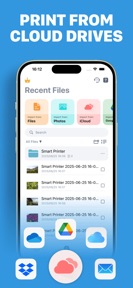
Both apps target the same mobile printing utility market on iOS, offering direct document and photo printing from cloud storage services like iCloud, Google Drive, and Dropbox.

known for Smart Printer App Scan — Print
Both applications target the mobile document printing market on iOS, offering direct Wi-Fi printing and document scanning at no cost.


Both applications target the same mobile user base of students and home office workers by providing document-to-printer utility via freemium models.


Both applications target the same home office segment by providing driverless printing and document scanning capabilities for mobile users.


Both apps target mobile users needing wireless document and photo printing, sharing identical cloud storage integrations and core scan-to-print functionality.


Both apps target iOS users needing mobile document scanning and wireless printing, competing directly for the same utility-focused mobile audience.


Both applications target mobile users requiring wireless document printing from cloud services and local storage, competing directly for the same iOS utility market share.


Both applications target home and small-office users requiring mobile document management and wireless printing. They compete directly for the same user base seeking to bridge mobile devices with legacy printer hardware.


Both apps target the same iOS mobile user base by providing wireless printing and document scanning utilities. They compete directly for users seeking on-the-go document management and printer connectivity.


Both apps compete for mobile document printing and scanning tasks, but the rival restricts its utility to HP hardware while the source app supports a wide range of printer manufacturers.


PDF Editor ® provides professional annotation tools that users apply to documents before sending them to the source app for printing.
Same space(38)


PDF Reader: Scan & Manage File serves the same document-management audience as Printer App, focusing on scanning and organization.


pdfFiller provides the editing and annotation layer required for documents before they are sent to a printer.


This app provides a specialized scanning utility for the same user base that relies on Printer App for document capture.


One PDF Home serves the same document-management audience as Printer App but integrates the reader directly into the Android home screen.


iScanner acts as a high-fidelity capture tool that feeds the document preparation stage before users print via the source app.


All Translate provides a specialized document-translation utility that complements the document-management needs of Printer App users.


FAX from iPhone serves as a specialized transmission utility that users leverage when physical printing is unavailable or unnecessary.


My Scanner combines document digitization with writing assistance, providing a preparation layer for users before printing.


PDF Reader, Editor & Scanner provides a similar all-in-one document suite to Printer App, focusing on PDF-centric workflows.


PDF Reader - PDF Editor serves the same document-management audience as Printer App, focusing on file organization and conversion.


Universal PDF offers file manipulation tools that users utilize to optimize documents before printing via the source app.


iLovePDF provides a similar document-management utility to Printer App, focusing on PDF manipulation rather than direct printer connectivity.


Readdock provides a similar document-management utility to Printer App, focusing on reading, scanning, and signing workflows.


CamScanner serves the same document-digitization audience as Printer App but shifts the value proposition from physical printing to cloud-synced OCR workflows.


Scanner – Scan PDF & Document offers a standard digitization utility that users employ to prepare files for the printing workflow.


FaxFlow offers a digital transmission alternative to physical printing for users needing to send documents remotely.


MobiOffice targets the same professional user base as Printer App but focuses on high-precision editing rather than physical document output.


FAX App provides a secure transmission service that acts as a professional alternative to the source app's physical printing.


Scanner App by Municorn provides advanced text recognition that enhances the quality of documents before they are printed.


Easy Fax provides a digital transmission path for users who prefer mobile faxing over the source app's physical printing capabilities.


Fax from iPhone - Send Docs provides an IP-based transmission alternative to the source app's hardware-dependent printing.


PDF Viewer - PDF Reader targets the same user base as Printer App by providing a lightweight file-management utility.


Document Reader & PDF Editor competes for the same office-utility audience by offering a broader suite of file-viewing tools than the print-focused Printer App.


This scanner app serves as a specialized utility for the same mobile-first audience that uses Printer App for document processing.


Scanner Pro provides high-fidelity image processing that acts as a precursor to the printing tasks handled by the source app.


Easy Reader - PDF Viewer targets the same student and office-worker demographic as Printer App by consolidating document management tools.


TapScanner serves as a portable document digitization tool that complements the printing workflow by preparing physical files for output.


Document Reader, PDF Viewer serves the same document-management audience as Printer App, focusing on multi-format file viewing.


Scanner App provides on-device OCR that users rely on to digitize and clean up documents before printing.


This app provides a specialized scanning utility that complements the document-printing workflow of Printer App users by handling QR and barcode data.


This app provides a general document management and scanning utility that users employ to organize files before printing.


Genius Scan provides high-quality document digitization that users often require before utilizing the source app's printing functionality.


Simple Scan offers a lightweight scanning interface that users pair with the source app for rapid document-to-print workflows.


This scanner app provides the digitization layer for documents that users subsequently print using the source app.


WPS Office acts as a comprehensive productivity suite that fulfills the document-management needs of the same student and professional demographic as Printer App.


PDF Creator Pro serves the same document-management audience as Printer App, focusing on annotation and file manipulation.


All Document Guide serves the same document-management audience by consolidating file viewing and scanning into a single interface.


PDF Reader App serves the same document-management audience as Printer App, focusing on file viewing and basic editing.
New entrants(2)


PDF Converter: Editor & Reader serves the same document-management audience as Printer App, focusing on file conversion and viewing.


PDF Jumper & Document Reader serves the same document-management audience as Printer App, focusing on scanning and file access.
