


Libra Capital
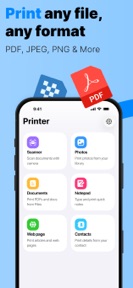
 Printer – Smart Print printing







Snapshot


Publisher DNA
What defines Libra Capital?
AI intelligence is not yet available for Libra Capital. The portfolio data below is up to date.
Portfolio
What does Libra Capital ship?
Apps
3 apps analysed

Broad format support enables diverse document management workflows
- Local image processing mechanism reduces server-side compute costs
- AirPrint-native architecture removes third-party driver dependencies.

Analysis in progress
Distributed across 19 markets, strongest in Europe.
Based on 2 of 3 apps with localized market data, more coverage rolling in as scans complete · last scanned .
Americas (4)
- Brazil2 / 2
- Canada2 / 2
- Mexico2 / 2
- United States2 / 2
Europe (8)
- France2 / 2
- Germany2 / 2
- Italy2 / 2
- Portugal2 / 2
- Spain2 / 2
›+3 more europe markets
- Turkey2 / 2
- United Kingdom2 / 2
- Netherlands1 / 2
Asia-Pacific (7)
- Australia2 / 2
- India2 / 2
- Indonesia2 / 2
- Singapore2 / 2
- South Korea2 / 2
›+2 more asia-pacific markets
- Vietnam2 / 2
- Japan1 / 2
Core markets (2/2 apps)
Rivals
Who does Libra Capital compete with?
The rivals identified
Nemeses(1)

Both apps target mobile users requiring document printing, but Smart Print offers universal hardware support while HP Print Service Plugin restricts functionality to its own hardware.
Same space(20)


Serves as a lightweight viewer for the documents that users eventually send to the Smart Print app for physical output.


Serves as a utility to recover files that users may later want to print, acting as a document management adjacent.


Adds a translation layer to document management, allowing users to process foreign-language files before printing.


Offers a document reading and conversion utility that prepares files for printing workflows.


Offers a combined viewing and scanning utility that covers the document lifecycle before printing.


Functions as a document management hub that organizes files for printing, appealing to users who need to access local documents.


Provides the document manipulation tools that users often need to perform immediately before sending a file to a printer.


Integrates reading, scanning, and signing into one app, covering the entire pre-printing document lifecycle.


Serves as a document capture layer that precedes the printing workflow, capturing users who need to digitize paperwork before sending it to a printer.


Competes for the same mobile-first professional audience that requires both document editing and physical output capabilities.


Provides a lightweight document tool for handling various formats, simplifying the pre-print file management process.


Combines scanning and reading to help users manage physical and digital documents before printing.


Acts as a file manager and viewer that simplifies the process of finding documents to print.


Provides an editing layer for documents that users might eventually print, capturing the pre-print document preparation segment.


Provides a multi-format document reader that serves as a precursor to the printing workflow for mobile users.


Acts as a central viewer for various office formats, facilitating the document selection process before printing.


Provides a modern reading and annotation interface that helps users prepare documents for printing.


Acts as a comprehensive document creation suite that generates the files users later require the Smart Print app to output.


Enables document markup and editing, which is a common pre-printing task for students and professionals.


Provides a document organization layer that helps users locate files before using the Smart Print app to output them.
New entrants(2)


Provides a unified interface for scanning and converting images to PDF, which is a common step before printing physical copies.


Captures the document scanning and viewing segment, providing a mobile-first alternative for users who need to manage files before printing.
