Pixelnetica
 SharpScan: PDF OCR doc scanner







Snapshot


Publisher DNA
What defines Pixelnetica?
AI intelligence is not yet available for Pixelnetica. The portfolio data below is up to date.
Portfolio
What does Pixelnetica ship?
Apps
6 apps analysed

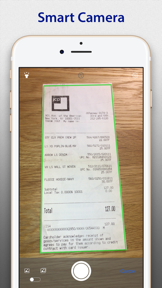
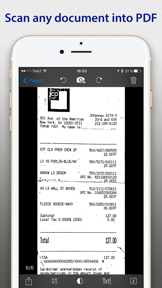
Free offline PDF & document scanner with OCR. Private, no cloud, no limits.


No-subscription model removes the primary barrier to entry for budget-conscious users
- The core application functionality provides a positive experience for users who encounter no technical issues
- Camera hardware becomes unresponsive and requires a full device restart after capturing a single image

Proprietary compression technology reduces file sizes by 20x
- Secure 100% on-device processing ensures regulatory compliance

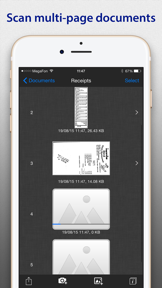
Convert pictures & paper documents to multi-page PDF. OCR text on 120+ languages


Black-and-white compression enables sharing on slow networks
- Efficient document scanning capabilities provide high utility for users needing quick and accurate digital copies
- Subscription requirements for basic optical character recognition functionality frustrate users who prefer one-time purchase models

Non-destructive editing enables original image recovery
- High-quality image processing and document clarity provide a professional result for mobile scanning tasks
- Aggressive image compression post-update degrades scan quality and frustrates users who prioritize high-resolution output

Distributed across 10 markets, strongest in Americas.
Based on 4 of 6 apps with localized market data, more coverage rolling in as scans complete · last scanned .
Americas (3)
- United States4 / 4
- Brazil1 / 4
- Mexico1 / 4
Europe (5)
- France1 / 4
- Germany1 / 4
- Italy1 / 4
- Portugal1 / 4
- Spain1 / 4
Asia-Pacific (2)
- Japan1 / 4
- South Korea1 / 4
Core markets (4/4 apps)
User Sentiment
How do users feel about their apps?
1
Positive apps
1
Neutral / mixed
1
Negative apps
48/100
Avg sentiment score
Unlock the app dragging this portfolio down.
Access the full report for freeRivals
Who does Pixelnetica compete with?
The rivals identified
Nemeses(3)


This app is the primary nemesis due to its massive user base and feature-complete document management suite that directly challenges EasyScan's core utility.


This app directly competes for the same productivity-focused user base by offering a similar offline-first document scanning and OCR experience.


Both apps target professionals needing document digitization, with overlapping core functionality in multi-page scanning and PDF conversion.
Contenders(21)


Competes for users looking to optimize their device storage, often the primary reason users seek out scanning and file management apps.


Competes for the same mobile productivity-focused user base by offering storage management tools that overlap with document-heavy workflows.


Both apps target professionals requiring document digitization, with FineReader competing directly for SharpScan Pro users through high-accuracy OCR and multi-format export capabilities.


Competes for the utility-focused user segment by providing network discovery tools that often sit alongside scanning apps on professional devices.

known for Printer Pro: Scan & Print
Competes for the same productivity-focused user base by bundling scanning functionality with direct printing capabilities.


Both apps target mobile users requiring document digitization, competing directly for the same utility-focused audience through overlapping PDF scanning and OCR functionality.


A direct functional competitor that mirrors EasyScan's core value proposition of document scanning and printing.


Both applications target professionals requiring mobile document digitization and share a paid pricing model for document scanning functionality.


A business-category app that competes for the same mobile-scanning utility, specifically targeting inventory management.


Both apps target business professionals needing mobile document digitization, with Scanium's freemium model directly challenging the paid entry point of SharpScan Pro.

known for
Targets the same productivity-minded user base by offering system-level maintenance tools that compete for device utility priority.


Targets the same utility-seeking audience by focusing on storage management and file organization within the iPhone ecosystem.


Both apps target mobile users requiring document digitization, with Document Scanner App- PDF Scan capturing a larger user base through a free model and expanded utility features.


Targets productivity users by combining document scanning with specialized organizational features like expiry reminders.


Directly competes in the business category by providing document submission and compliance-focused workflows for professional users.


Both apps target business professionals requiring mobile document digitization, creating direct competition for the same user base.


Both apps target business users needing mobile document digitization, with overlapping functionality in multi-page scanning and document conversion.


Both apps target mobile users requiring document digitization, creating direct competition for users seeking efficient document capture and management tools.


Shares the business-utility category by providing specialized hardware-interfacing tools for professional document and data management.


Overlaps with SharpScan's user base by offering AI-driven photo management tools that compete for the same storage and organization intent.


Overlaps in the productivity category by utilizing mobile camera hardware for barcode-based inventory scanning.
Same space(31)


A legacy peer in the business utility space that focuses on document handling and printing workflows.


Offers a similar utility for converting visual media into PDF format, directly overlapping with EasyScan's output capabilities.


Operates in the broader file management and utility space, targeting users who need to move and organize digital assets.


Scanner App serves the same professional audience by providing a comprehensive mobile digitizer with secure storage features.


Adobe Scan captures the same professional demographic by integrating scanned documents into the broader Adobe Document Cloud.


Provides document conversion services that serve as a secondary step for users who have already digitized their paper documents.


iScanner addresses the same need for high-fidelity document management while utilizing advanced AI to solve specific user tasks.


Scan Now serves the same mobile-first professional audience by providing tools for document capture and PDF management.


eScan focuses on the same mobile document digitization needs while prioritizing local data privacy for professional users.


PDF to JPEG provides a specialized conversion utility for users who need to extract images from PDFs for external use.


ScanMe offers a similar mobile scanning experience for users needing to digitize multi-page documents on the go.


Photo to PDF Converter Scanner offers a simplified conversion utility for users who need to turn images into PDFs.


Clear Scan competes as a lightweight, free alternative for digitizing physical documents like receipts and whiteboards.


Docutain targets home-office users by providing a desktop-linked scanning solution that extends beyond simple mobile capture.


Shares the same productivity-utility space, targeting users who want to organize and clean up their digital information.


Directly overlaps with SharpScan's core value proposition of converting images into portable document formats.


Scan Hero offers a similar mobile document management experience for professionals who need to sign and organize paperwork.


Camera Scanner provides a standard mobile scanning and OCR tool that overlaps with the core functionality of SharpScan Pro.


Occupies the same device-utility ecosystem, though it focuses on media streaming rather than document management.


Competes in the productivity space by offering offline image-to-PDF conversion and document merging.


Directly overlaps with the target's core functionality of converting images to PDF documents.


PDF Scanner provides a similar document digitization utility for receipts and notes, targeting the same mobile user base.


A peer app that provides similar document management tools for users who need to edit scanned files.


Scanner Pro targets the same professional segment with advanced image processing that competes directly with SharpScan Pro.


Mobile Document Scanner Pro targets the same mobile professional audience with a suite of tools for scanning and annotating.


TapScanner provides a similar mobile-first digitization workflow for receipts and documents, competing for the same professional user base.


Genius Scan competes for the same professional user base by emphasizing on-device privacy and consistent output quality.


Tiny Scanner maintains a 12-day update cadence that keeps its utility ahead of SharpScan Pro for the same mobile scanning audience.


Receipt Scanner specializes in the receipt management aspect of document scanning, serving a similar audience with specific financial needs.


Relates to the target app through its focus on file integration and productivity-enhancing utility features.


Competes for the same device-optimization audience, often installed alongside scanning apps to manage the resulting files.
New entrants(6)


A new entrant in the utility space that captures user attention through multi-functional tools, potentially diverting time from productivity apps.


A new entrant in the productivity space that signals a shift toward specialized, high-utility business tools.


A new entrant in the productivity category aiming to capture users seeking fast, smart document scanning.


PDF Reader provides a broader document management utility that includes reading and editing alongside the scanning function.


ScaniX offers a similar all-in-one document management experience with added AI-driven interaction features.


Users report: A specialized newcomer that uses mobile capture technology for professional point cloud data management.