


LiveBird Technologies Private
For mobile users, students, and business professionals seeking quick-access tools for file management, document conversion, and audio recording.
 Contacts Groups Pro Mail, text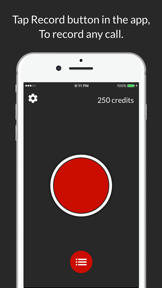








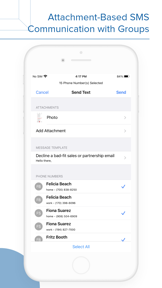
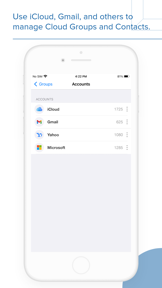


Snapshot
Who is LiveBird Technologies Private?
Providing essential mobile utility tools for document management and audio capture. Enabling users to organize, edit, and archive files efficiently.
Target audience


Portfolio
Free 10Last updated

Contacts Groups Pro Mail, text
vVARY
5mo ago
Publisher DNA
What defines LiveBird Technologies Private?
Publisher DNA
Primary focus
Utility and productivity tools for mobile devices
Scale
indie
Target audience
Mobile users, students, and business professionals seeking quick-access tools for file management, document conversion, and audio recording.
Signature Patterns
- •Focus on high-utility, single-purpose tools for the Business category
- •Mixed monetization model utilizing both free-to-use and paid-upfront pricing
- •Integration of cloud storage and file-sharing capabilities across utility apps
- •Emphasis on core functionality like file conversion, audio editing, and document management
Portfolio momentum
Released 5 updates across 6 apps in the last 6 months, indicating a focus on maintaining existing utility titles.
Portfolio
What does LiveBird Technologies Private ship?
Apps
14 apps analysed


32-bit audio fidelity provides a professional-grade differentiator
- The ability to pause and resume recordings allows users to manage long-form audio sessions effectively
- Aggressive advertising in the latest update disrupts the user experience for free-tier listeners


- The ability to organize contacts into custom groups provides a functional utility for managing large address books
- Frequent application crashes during contact management tasks prevent users from completing basic organizational workflows
Bulk messaging utility creates a high-intent daily engagement loop
- Mass messaging and email distribution tools provide significant organizational value for professional contact management
- Syncing functionality fails to maintain contact data across devices following the latest update
Distributed across 10 markets, strongest in Europe.
Based on 7 of 14 apps with localized market data, more coverage rolling in as scans complete · last scanned .
Americas (3)
- United States7 / 7
- Brazil6 / 7
- Mexico6 / 7
Europe (5)
- France6 / 7
- Germany6 / 7
- Italy6 / 7
- Portugal6 / 7
- Spain6 / 7
Asia-Pacific (2)
- Japan6 / 7
- South Korea6 / 7
Core markets (7/7 apps)
User Sentiment
How do users feel about their apps?
2
Positive apps
2
Neutral / mixed
1
Negative apps
61/100
Avg sentiment score

Unlock the app dragging this portfolio down.
Access the full report for freeRivals
Who does LiveBird Technologies Private compete with?
The rivals identified
Nemeses(7)

Provides an audio-centric productivity suite, overlapping with the multi-modal recording needs of the target audience.


Users report: Offers specialized audio capture, serving users who need more advanced recording than the basic tools in Notes - Professional.


Both apps target students and professionals requiring document digitization and PDF management. Adobe Scan competes by offering a high-volume freemium model that captures users through cloud storage and OCR capabilities.

known for My Contacts Backup Pro
This app dominates the specific contact management niche with a massive user base and long-standing market presence.


Users report: Both apps target professionals needing note-taking and task management, creating direct competition for users seeking efficient information capture.


Both apps target users needing secure file management and private storage, with File Commander competing for the same privacy-conscious audience through its Vault encryption feature.


With over 16 million ratings, this app defines the category standard for mobile file management and cloud-integrated document handling.
Contenders(32)


This app functions as a general-purpose document companion, offering a broader format support than the PDF-centric features of File Manager 11.


Both apps target professionals and students needing audio capture for meetings and lectures, creating direct competition for the same user base.


This app targets professional workflows by adding editing and signing capabilities that File Manager 11 lacks.


Both apps target students and professionals requiring reliable audio capture, with Easy Voice Recorder's freemium model directly challenging the upfront purchase requirement of Audio Recorder Pro and Editor.


This app provides a simplified document access layer that reduces the need to switch between specialized apps for different file types.


Maintenance-mode status and export distortion issues limit its ability to compete with stable, paid recording utilities.


Leverages on-device AI and spatial audio, serving professionals who need high-fidelity capture.


Provides a balanced feature set for document scanning and management, targeting the mid-market user segment.


This app acts as a central document hub for users who need to open various office formats without a computer.


Provides audio editing tools for users who need more control than the basic recording in Notes - Professional.


A highly specialized document scanner that prioritizes privacy and local processing over cloud-heavy workflows.


Both apps target mobile document management, but PDF Export Pro focuses on editing and conversion while Easy PDF-Read PDF prioritizes free document viewing and file management.


Dominates the document capture niche with superior OCR technology and deep integration into the Adobe Document Cloud.


Both apps target mobile users needing document management, with PDF Hive competing via a free-to-use model against the $12.99 one-time purchase price of PDF Export Pro.


Both apps target users needing multi-modal capture for task management and reminders, creating direct competition for the same productivity-focused audience.


Both apps target professionals needing centralized note-taking and organization, creating direct competition for users seeking reliable productivity tools.


Both applications target professionals seeking organized digital documentation, creating direct competition for users who prioritize note-taking workflows.


Both apps target students and professionals needing document digitization and management, creating direct competition for mobile document workflows.


Both applications target professionals and students for audio capture, but the rival adds AI-driven transcription and summarization features that the target app lacks.


Both apps target users needing quick note-taking, but they diverge on monetization and feature focus. The rival competes for casual users through a free model, while Notes - Professional targets users requiring cloud-backed, multi-modal storage.


Both apps target users seeking quick note-taking and organization, creating direct competition for the same productivity-focused user base.


Both applications target professionals and students requiring voice memo management, creating direct competition for the same user base despite different pricing models.


Represents the primary threat from AI-driven productivity tools that shift the value proposition from recording to automated transcription.


Targets the specific migration and organization needs of users managing large, fragmented contact lists.


Both apps target professionals and students needing audio capture, but they diverge on monetization and post-production capabilities.


Both apps target professionals and students for task and note management, creating direct competition for users seeking structured organization tools.


Users report: Both applications target productivity-focused users needing information management, but they diverge on multi-modal capture versus privacy-first encryption.


TapScanner competes by offering a free, high-volume scanning and OCR tool that overlaps with the document management and conversion capabilities of PDF Export Pro.


Maintains high market visibility through a rapid release cadence and a focus on simple, one-tap scanning workflows.


Both apps target students and professionals needing mobile document management, with Simple Scan capturing the scanning-first segment while PDF Export Pro targets the editing-first segment.


Both applications target users seeking centralized note-taking and organization, competing directly for the same productivity-focused audience.


Both apps target users seeking centralized note-taking and task management, competing for the same mobile productivity segment.
Same space(49)


This app offers a minimalist alternative for users who find the feature set of File Manager 11 too heavy for simple PDF viewing.


Targets users who prefer a minimalist reading experience without the file conversion or editing overhead of PDF Export Pro.


SD card storage support and adjustable sample rates offer flexible file management for high-quality audio capture.


This app focuses on the reading experience, providing a lightweight alternative to the more complex file management tasks handled by File Manager 11.


An adjacent productivity powerhouse that handles file-based contact attachments more robustly than the target app.


Offers transcription and cloud storage, augmenting the basic recording capabilities of Notes - Professional.


Offers a simplified text-based alternative for the same note-taking use case.


Provides transcription and audio effects, serving as a more creative recording tool than Notes - Professional.


Format conversion and sound effects like Lo-Fi and bass boost cater to users customizing audio files.


Collaborative setlists and cloud-synced projects enable team-based workflows for music creation.


Basic trimming and merging tools target casual users, though stability issues hinder consistent performance.


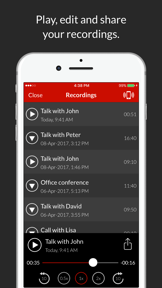
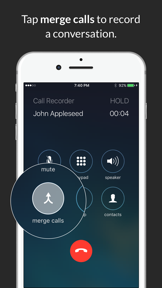
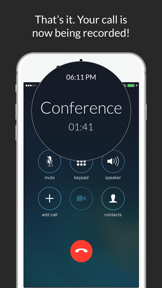
Call recording functionality captures phone conversations that standard recorders cannot access.


Vocal removal and multi-track extraction tools allow users to isolate instruments or voices from existing audio.


This app competes for the same document management audience by bundling scanning and image-to-PDF conversion features directly into the reader.


A utility-focused competitor that offers extensive file management and export options for power users.


This app provides a similar file management scope but emphasizes ease of use for general document organization.


This app addresses the data loss pain point mentioned in File Manager 11 reviews by offering recovery tools.


This app targets the productivity segment by integrating AI-driven summarization, a feature not present in File Manager 11.


A dominant productivity ecosystem player that captures the same user intent for scheduling and organization.


Functions as a simple document launcher for users who prefer a direct, offline-first approach to PDF management.


Users report: Focuses on high-quality audio capture, serving as a specialized recording tool for the professional user.


Docutain serves as a document management alternative that prioritizes on-device OCR and desktop connectivity over the mobile-first editing focus of PDF Export Pro.


AI-driven music generation from text prompts provides a creative toolset for users seeking inspiration.


Manages financial documentation for the same professional user base that relies on Notes - Professional for organization.


Users report concerns regarding billing practices and technical reliability, which contrasts with the source app's one-time purchase model.


Handles document workflow for service professionals, complementing the task management features in Notes - Professional.


Specialized recording modes like voice-activated and Bluetooth headset support expand utility for specific professional environments.


Offers a secure alternative for storing contact backups and sensitive vCard data with a privacy-first focus.


Competes for the user's time and attention in the broader productivity and information management category.


This app automates the document organization process, which serves as a convenience layer over manual file management.


Focuses on the output side of document management, bridging the gap between digital files and physical printing.


Adjacent utility that solves a specific document transmission pain point often associated with file management.


CoreML-based source separation allows users to isolate vocals from accompaniment on iOS devices.


Targets users who need a basic, responsive reader for quick document access without the complexity of a full editing suite.


Offers a multi-format document reader that competes for the same mobile-first audience but lacks the specific PDF creation tools of PDF Export Pro.


Offers a basic reading alternative for users who want to avoid the paid model of PDF Export Pro.


Focuses on recurring task management, expanding on the reminder system found in Notes - Professional.


Direct publishing integration and podcast-specific editing tools streamline the production process for new creators.


Podcast-specific features like auto-ducking and distribution management simplify the end-to-end creation workflow for aspiring podcasters.


Targets the prosumer and music production segment, offering a more complex feature set than the target app.


Provides AI-assisted transcription, serving as a more advanced recording tool than the basic Notes - Professional utility.


Provides a stylus-optimized environment for note-taking, serving the same productivity-focused audience as Notes - Professional.


Captures billing documentation, serving the same professional demographic that uses Notes - Professional for task management.


Multi-track editing and audio extraction from video files offer comprehensive tools for mobile content creators.


Offers AI transcription and folder management, serving as a more structured recording tool than Notes - Professional.


Local AI-powered vocal isolation and 16-track editing provide professional-grade production capabilities on mobile devices.


Targets privacy-conscious users with offline storage, contrasting with the cloud-integrated Notes - Professional.


Mobile-based splicing and sound mixing tools offer quick audio manipulation for casual content creators.


High-precision zoom and real-time pre-listening effects provide granular control for detailed audio editing tasks.
New entrants(4)


Provides a privacy-first, on-device AI recording experience, serving as a secure alternative to Notes - Professional.


An enterprise-grade newcomer that leverages high-frequency updates to capture the professional expense management market.


Focuses on hardware-integrated UX, specifically optimizing for Apple Watch and quick-capture scenarios.


Rapidly evolving platform that integrates document management into a broader human resources and payroll workflow.
The Analyst's Read
The bottom line on LiveBird Technologies Private
Bottom line
LiveBird Technologies is a stable, utility-focused studio that maintains a consistent, if narrow, product-market fit. Their ability to sustain high-volume engagement in the Business category suggests a disciplined approach to essential mobile toolsets.
Frequently asked questions
How many apps does LiveBird Technologies Private publish?
What kind of apps does LiveBird Technologies Private make?
What is LiveBird Technologies Private's top app?
In how many countries are LiveBird Technologies Private's apps available?
What fed this analysis
- Apps analyzed:
- 6
- With full intel:
- 0
- With overview:
- 6
- Website scraped:
- yes
- Social presence:
- yes